
Each minute that your sales team spends typing manual replies to standard direct messages is one less minute closing a high-ticket deal. Modern buyers demand immediate answers. If your brand fails to respond instantly on Facebook Messenger and Instagram, those leads will abandon your funnel and buy from a competitor. Industry metrics show that responding to an inquiry in under five minutes boosts sales by over 80%. Relying on human typing speed means you actively lose revenue.
Manual replying operates as a fundamentally broken model for growing brands. As your ad spend scales and your content generates engagement, your inbox fractures into a massive bottleneck. Copying and pasting the same pricing links or shipping policies creates friction, frustrates your staff, and leads to skipped messages. You cannot scale a modern business if your primary communication channel goes dark the moment your team logs off for the day.
However, you need a scalable system to automatically capture demand. Reflys and platforms like it help you create automated chat funnels that can operate 24/7, automate lead qualification without any need for human intervention, and skillfully route only high-quality leads to your sales CRM.
Expert Insight: Why Most B2B Chat Funnels Fail
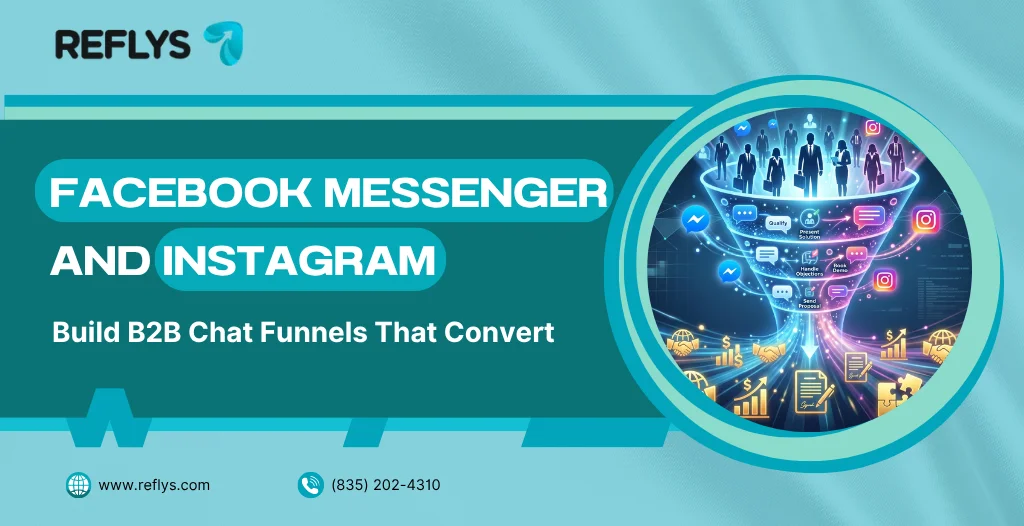
In my years of auditing B2B chat funnels, the number one cause for failure is fragmentation. Brands treat DMs as casual communication rather than structured revenue pipelines. By enforcing Meta API compliance and routing all traffic through unified automation, businesses routinely see response times drop from hours to three seconds.
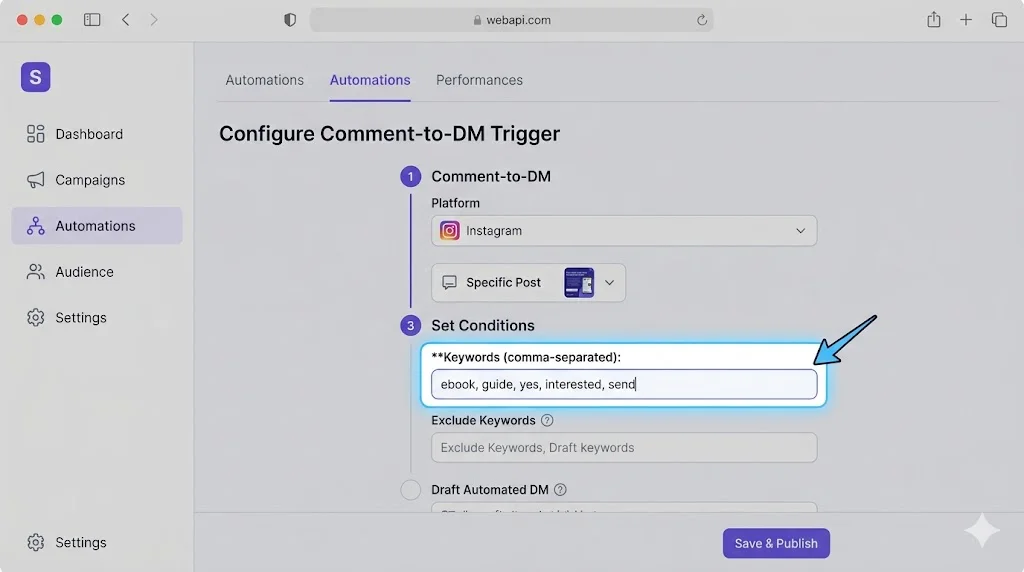
Quick Win Insight: Build a Basic Comment-to-DM Trigger in 3 Minutes
You do not need a developer to capture leads today. Deploy this immediate automation flow right now:
1. Connect Accounts
Open Meta Business Suite, navigate to ‘Inbox’, click the gear icon, and link your Instagram Professional account to your Facebook Page.
2. Create a New Trigger
Log in to Reflys, select your channel, and choose Comment-to-DM Trigger.
3. Add a Keyword
Set a unique keyword on a new promotional post such as “TRIAL” or “DETAILS”.
4. Draft a Reply
Write: [Here is your link to the free trial you requested]
5. Publish the Flow
Activate the flow. Your link goes straight to the inbox of users who commented on the keyword.
Why You Must Automate Facebook Messenger and Instagram
Treating direct messages as a secondary support inbox costs you money. DMs act as the primary conversion engine for modern social commerce. Automation transitions your strategy from reactive support to proactive sales.
Speed dictates success. Chat automation platforms give you a 0-second instant response time, which helps increase booking rates and reduce customer acquisition costs.
| Channel | Average Open Rate | Average Response Time | Primary B2B Use Case |
|---|---|---|---|
20% | 90 minutes+ | Long-form newsletters, onboarding. | |
WhatsApp API | 90%+ | Under 5 minutes | High-touch sales, conversational commerce. |
Automated DMs | 80%+ | Instant (0 seconds) | Top-of-funnel capture, lead routing. |
Analyzing Messenger vs Instagram User Intent
While Meta owns both platforms, user behavior dictates different technical approaches. To create profitable flows, you need to know the differences between Messenger and Instagram.
Messenger users are used to longer, ongoing discussions and complicated menus. People on Instagram have a low attention span and they want simple, quick responses that result from your Stories or Reels.
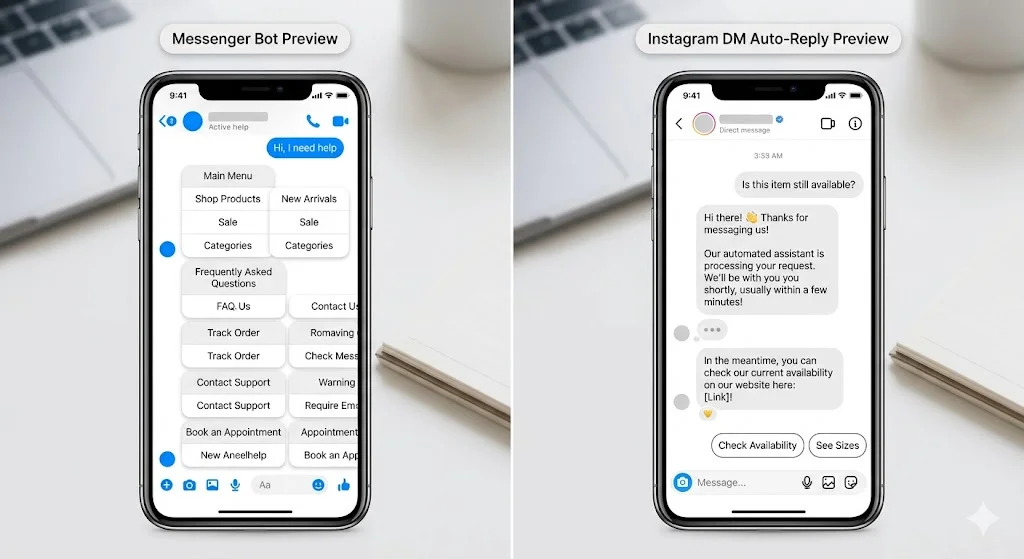
| Feature | Facebook Messenger | Instagram Direct Messages |
|---|---|---|
Entry Points | Click-to-Messenger Ads, Website Chat Plugin | Story Replies, Reel Comments, Bio links |
Rich Media | Carousels, buttons, webviews | Standard buttons, quick replies |
Best Strategy | Complex navigation and deep FAQ resolution | Fast lead capture and rapid routing |
Natively Connecting Your Infrastructure
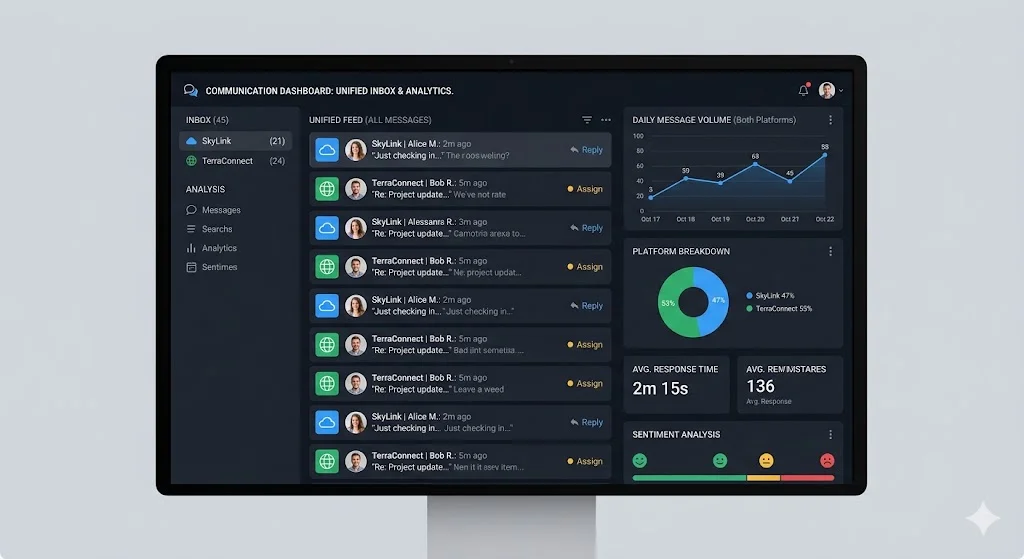
You cannot scale efficiently if your team logs into multiple apps. Centralizing communication stands as the first mandatory step before building workflows.
Step 1: Review Instagram Account
Make sure that your Instagram account is a Professional Account.
Step 2: Navigate to Meta Suite
Open Facebook Business Manager and log in.
Step 3: Link Instagram
Go to Page Settings → Linked Accounts and connect your Instagram account.
Step 4: Enable Message Access
Open the Instagram mobile app → Settings → Privacy → Messages → Turn on Allow messages access.
Step 5: Connect Your SaaS Platform
Log in to Reflys. It enables Meta API access for conversation monitoring through permissions.
Constructing High-Converting Funnels
Automation is designed to solve issues more quickly than humans. Do not send generic greetings. Build a qualification flow according to customer interest to grab their attention.
When you receive a DM from a customer, they should immediately receive a response. You can also set buttons to direct your leads to your website or another communication platform.
| Common Automation Issue | Diagnosis | Immediate Fix |
|---|---|---|
Bot stops replying | Meta 24-Hour Rule violation | Capture email/SMS early in the flow |
Comments fail to trigger | Access toggled off | Enable setting in Instagram Mobile App |
High conversation drop-off | Too much text | Use quick-reply buttons instead of typing |
Meta API Compliance Standards
Automation breaks when brands do not follow the rules. The 24-Hour Messaging Window is one of the most important rules to keep in mind.
Once a user sends a message to your page, you can only respond within the first 24 hours. After that, the reply window closes and standard promotional messages fail.
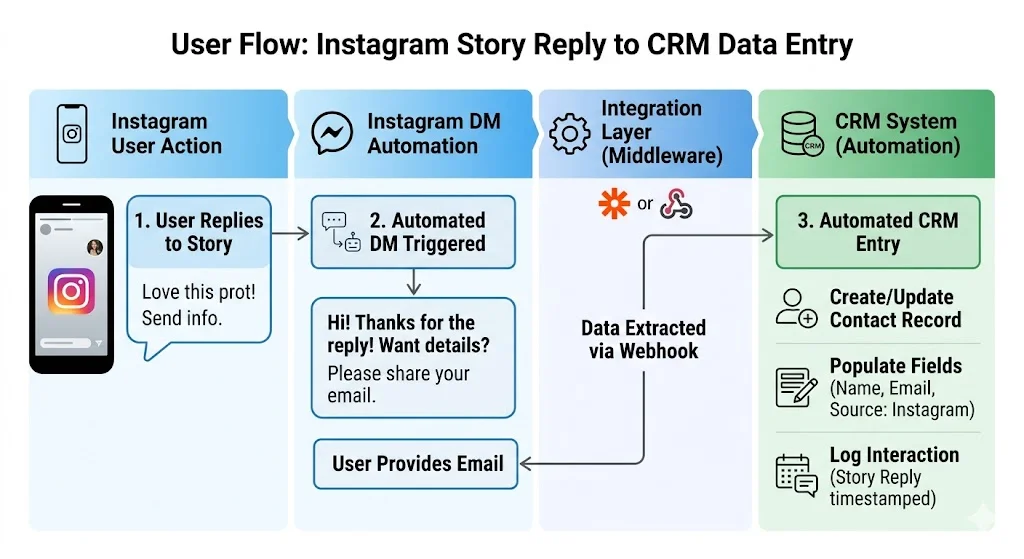
Always create automation flows to capture an email or phone number within the first few interactions. Moreover, you must provide a “Talk to a Human” escalation path to pause the bot and alert your staff when necessary.
Scale Your Sales Operations Today
Relying on manual typing guarantees lost sales.
Prospects keep calling, and a delayed response breaks trust. Autoresponder workflows can act as strict gatekeepers to secure your pipeline and give your team more time for strategy instead of repetitive data entry.
Take control of your Facebook Messenger and Instagram channels today. Start your Reflys free trial and deploy your first profitable chat funnel.