You are wasting sales in your Instagram direct messages right now, and you probably know it. Every time a buyer asks for a price or a shipping update and waits three hours for your team to reply, they leave. They go straight to a competitor. You paid for that lead through your ad spend, and you lost them simply because of slow typing. Looking at good chatbot examples proves you do not need to hire a massive support team to fix this leak.
Manual replies fail as your business scales. Your customers do not actually want to have a long conversation with you. They just want their tracking link or a checkout page in three seconds. If you look at your inbox right now, ninety percent of the questions are identical. Continuing to answer them by hand is a massive waste of your payroll and energy.
Plugging a chat automation system like Reflys into your accounts hands people exactly what they want instantly. You capture their intent the exact second they comment on your post or send a direct message. The goal is friction-free speed. This approach moves users from a simple question to a confirmed purchase without waiting. Let us look at exactly how to build these flows to book demos and drive sales while you sleep.
Expert Insight:
From the Head of Growth at Reflys: If you want to build chat systems that actually generate money, stop worrying about making your bot sound like a human. Buyers care about speed, not small talk. The brands winning right now rely strictly on official Meta and WhatsApp Business APIs. They use simple structured buttons instead of letting users type paragraphs. This keeps the error rate at zero and ensures your accounts never face a shadow ban for breaking platform rules.
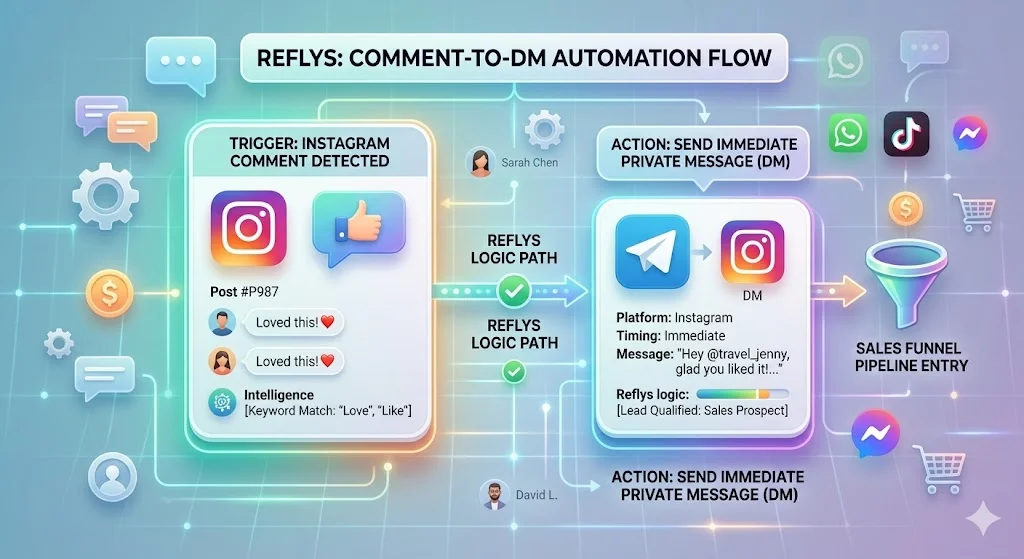
Quick Win: Build a Comment to DM Lead Capture Flow in 3 Minutes
You do not need a computer science degree to start catching leads right now. The fastest way to drop your customer acquisition cost is by setting up an automatic trigger on your best performing social media post..
The Setup Blueprint:
- Pick the Trigger: Open your automation dashboard and select User Comments on a Post as your first step.
- Set the Keyword: Pick one specific word users must type. Think words like GROW or DEMO. Do not use phrases. Single words prevent typos.
- Write the Payload: Set up an instant private message that fires straight into their inbox with a direct link to your offer.
- Test It: Drop a test comment from a burner account. If the message hits your phone in under three seconds, you are live.
Categorized Framework: Good Chatbot Examples in Production
Different businesses need different setups. What works for a clothing brand will fail for a B2B software company. By analyzing a real-world chatbot example tailored to your industry, you can steal the exact logic that fits your buyers.
1. Ecommerce and Direct Sales
If you run an online store, speed is your only metric. A solid sample chatbot keeps shoppers inside Instagram or WhatsApp instead of forcing them to load a slow mobile browser.
- Cart Recovery: A buyer leaves items at checkout. Ninety minutes later, a WhatsApp message hits their phone with a direct link to finish paying.
- Product Finders: The system asks two quick questions about size and style preferences, then instantly drops a scrollable gallery of matching products in the chat.
2. B2B Lead Sorting
Software companies use AI chatbot examples to weed out bad leads before a sales rep ever picks up the phone.
- Traffic Filtering: The bot asks for company size and budget through quick reply buttons.
- Calendar Drops: If the lead has a high budget, the bot immediately drops a native calendar link to book a discovery call. Bad leads get sent to a free PDF guide.
3. High Efficiency Support
Your support staff should not spend all day copying and pasting tracking links. A real customer service chatbot example acts as a shield for your team.
- Order Tracking: A customer types their order number. The system checks your shipping software and replies with the live delivery date.
- Document Delivery: Users press a button for warranty info and instantly get a PDF download link.
Core Performance Metrics: Why Messaging Beats Email
Take a look at your current email marketing numbers. If you are seeing a 20% open rate and a 2% conversion rate, industry standards will tell you that you are doing a great job. But compared to automated direct messaging, those traditional benchmarks fall a bit flat.
When you transition your prospects from a standard email sequence to a WhatsApp or Instagram DM flow, the math completely changes.
Here is what happens when you use automated direct messaging:
- Unmatched Visibility: Messages sent through Meta’s platform consistently hit open rates of over 95%.
- Instant Attention: Most of those messages are read within just five minutes.
- Massive Engagement: Because you skip the crowded “Promotions” tab and show up exactly where your audience is already hanging out, click-through rates routinely top 40%.
| Metric | WhatsApp Business API | Instagram Automation | Standard B2B Email |
|---|---|---|---|
| Average Open Rate | 75% to 90% | 65% to 80% | 15% to 22% |
| Click-Through Rate (CTR) | 20% to 35% | 15% to 30% | 2% to 4% |
| Average Response Time | Under 1 minute | Under 1 minute | 2 to 4 hours |
| Setup Friction for Users | Low (Phone Number) | Zero (In-App Action) | High (Long Form Fills) |
The Takeaway: You stop crossing your fingers and hoping a lead checks their inbox tomorrow, and you start driving real, immediate decisions today.
Deep Dive: Mapping Structural Chatbot Flow Examples
Broken paths cause users to close the app. You need clean logic to push users from curiosity to a verified action. Here is exactly how to structure your AI chatbot conversations to get results.
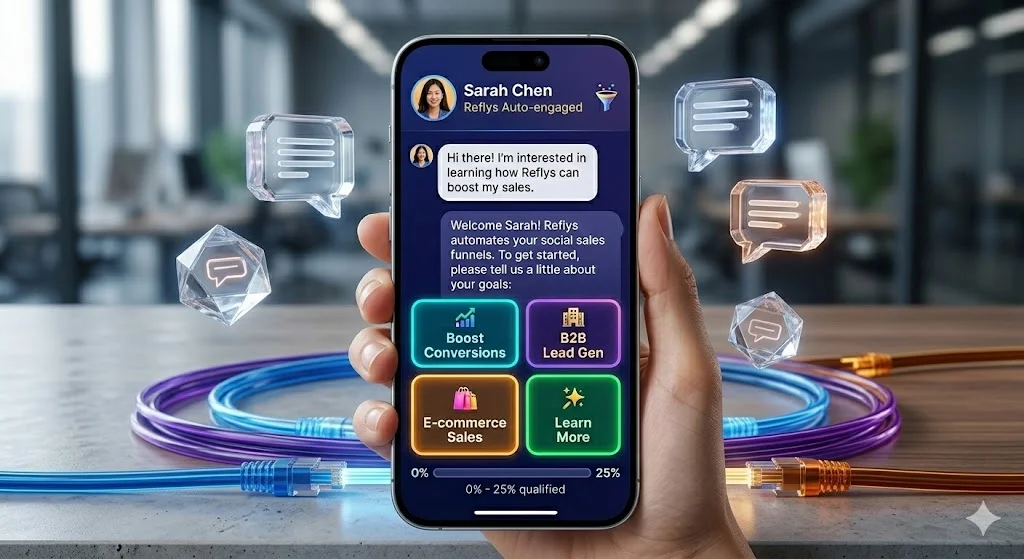
The B2B Qualification Path
When a prospect clicks your ad, filter them instantly. See these chatbot question examples for a proven setup:
- Greeting: Hey First Name! Thanks for reaching out. Are you running an agency or an ecommerce store?
- User Press: Ecommerce Store
- Follow Up: Got it. How many orders do you ship a month? Options: Under 500 or Over 500.
- The Route: If they hit Over 500, they get the calendar link. If they hit Under 500, they get a link to a recorded webinar.
The Zero Typing Support Tree
Good faq chatbot examples rely entirely on buttons. Do not force mobile users to type long sentences. They should find their answer in exactly two taps.
- User Selects: Shipping and Returns
- Path A: Button for Track Order leads to a prompt saying Enter Order Number
- Path B: Button for Return Policy leads to a text reading 30 Day Policy which leads to a button saying Get Label
Architectural Strategy: Creative Chatbot Ideas For Growth
Basic text greetings are boring. The brands taking market share use creative chatbot ideas to turn their direct messages into actual storefronts.
1. The Diagnostic Quiz
Instead of sending people to a massive category page, use cool chatbot ideas to narrow their choices. A supplement brand can ask a user about their energy levels and fitness goals right in the chat. Based on two clicks, the system serves up the exact bundle they need. This completely skips the browsing phase and moves them straight to the buy button.
2. Flash Sale Drops
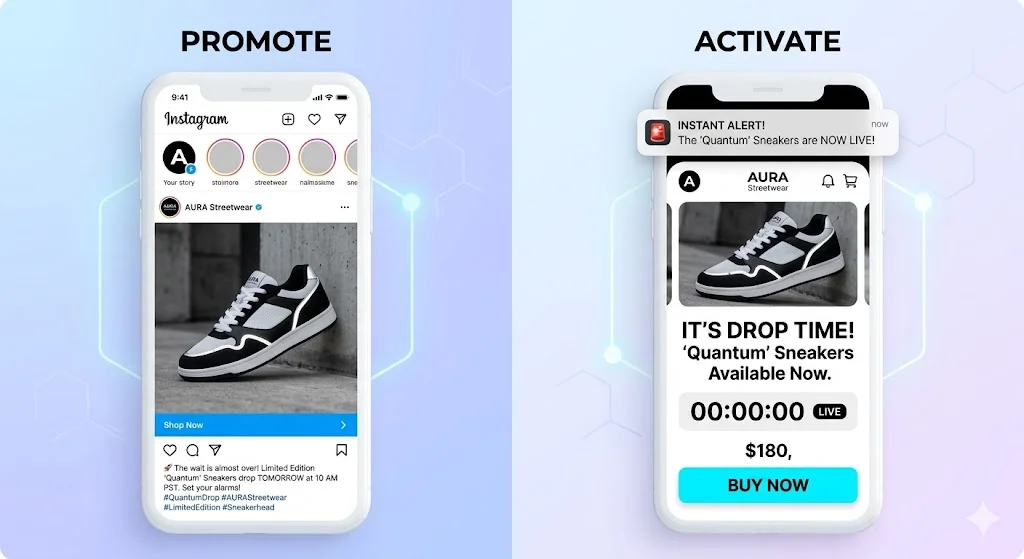
Stop paying for ads every time you launch a product. Build your list inside Instagram or WhatsApp. Ask followers to comment a keyword to join the VIP list. When you drop new inventory, blast a message to that list. Using clear bot messages that include a checkout link creates a massive spike in sales within minutes.
Technical Checklist: Meta and WhatsApp API Compliance
If you build this wrong, Meta will disable your accounts. You must set up your bot examples to match their exact platform rules.
- The 24 Hour Rule: You can only send marketing messages on Instagram or Facebook within 24 hours of the person’s last message.
- Template Rules: On WhatsApp, if you message them first, you must use a pre-approved template.
- The Opt In Law: You cannot scrape phone numbers and start texting people. They must click a button explicitly asking for messages.
| Feature Element | The Right Way (Compliant) | The Wrong Way (Account Ban Risk) |
|---|---|---|
| Outbound Messaging | Uses approved WhatsApp Business API templates. | Sending cold promos from a personal phone SIM. |
| Opting Out | Clear “STOP” buttons in the first message. | Hiding the unsubscribe option. |
| Speed | Fires instantly upon trigger word. | Adding fake “typing…” delays that break. |
Real World Deployments: Websites That Use Chatbots Effectively
Look at large websites that use chatbots and you will notice they do not use one massive script. They slice it up based on what the user is doing at that exact moment.
SaaS Traffic Capture
A B2B software company puts a specific trigger on their pricing page. If you stare at the Enterprise tier for 40 seconds, a widget pops up. It says, Checking out the Enterprise plan? Click here to see our security specs. This is one of the best chatbot examples because it catches the buyer at the exact moment of high intent.
Direct to Consumer Scale:
A great chatbot example for fashion connects social ads straight to direct messages. Instead of forcing shoppers to load a slow mobile website, one apparel brand deployed Reflys to automate their Instagram and WhatsApp DMs. Within three months, this simple flow captured and qualified over 5,000 leads. By eliminating manual response delays, the brand turned their DMs from a support inbox into a primary, high-converting sales channel.
Operational Recovery: Troubleshooting Chatbot Feedback Examples
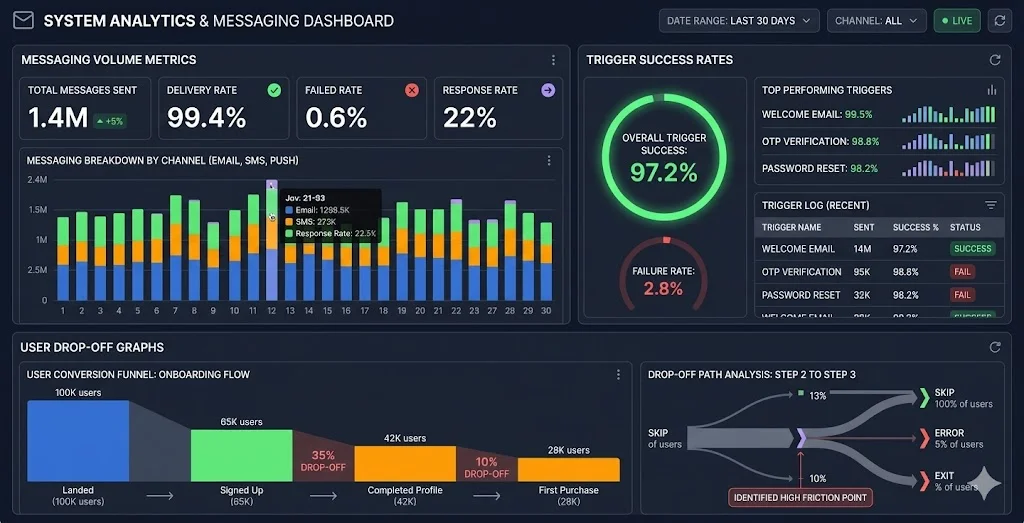
When you push high traffic volume, things break. You need to know how to fix a failing flow fast. If users are dropping out, look closely at chatbot feedback loops and remove the friction.
| The Problem | Why It Happened | How To Fix It Right Now |
|---|---|---|
| Bot won’t reply to comments | Meta API token expired. | Go to settings and click “Refresh Permissions.” |
| People quit halfway through | You asked them to type too much. | Delete the text fields and use clickable buttons. |
| Messages send twice | Two apps are fighting for access. | Remove old webhook permissions in Facebook page settings. |
Conclusion: Turn Your Inbox Into a Revenue Pipeline
Leaving your direct messages unmonitored means throwing money away. Every unanswered question is a missed sale. The good chatbot examples we looked at prove that you do not need complicated tech to fix this. You just need to give people fast, clear paths to what they want to buy.
Stop doing manual work that software can handle perfectly. Protect your support channels and capture the leads you are currently losing. Scale your revenue and eliminate response delays by putting your inbox on autopilot. Build your first automated flow today and start a free trial with Reflys to see the results yourself.