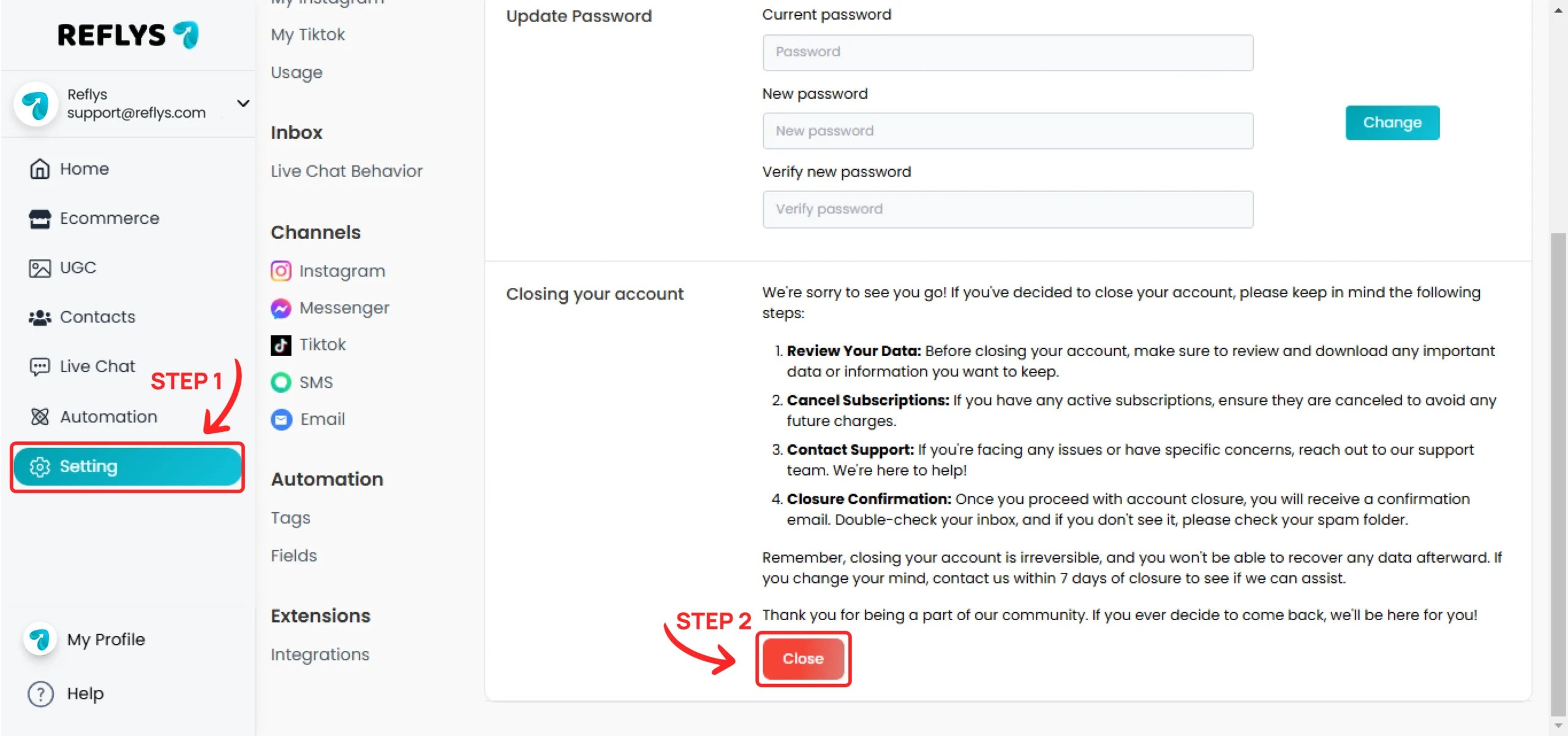
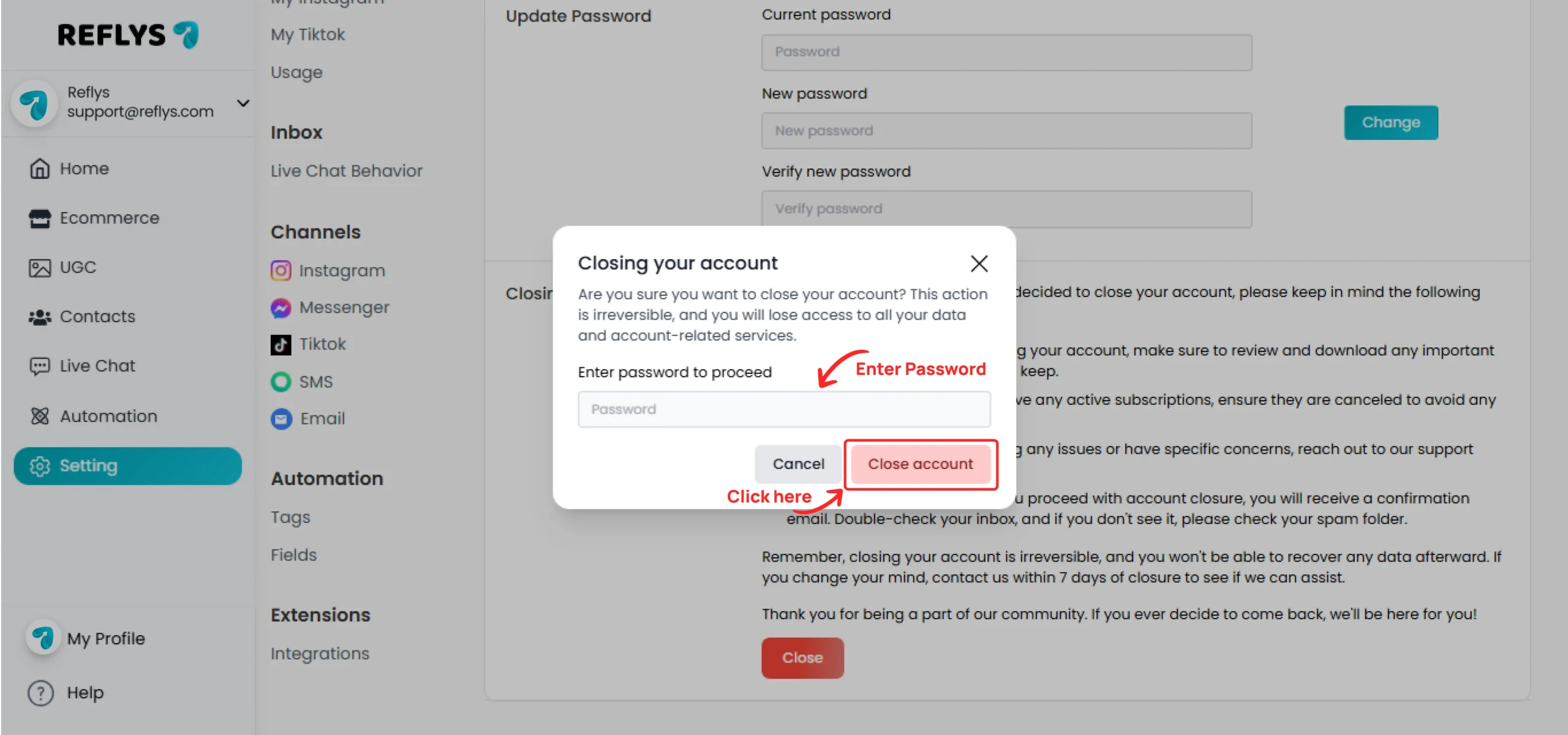
How to Close Your Reflys Account Go to Settings, and you will see the ‘Close Your Account’ option below. Read the instructions, then click the ‘Close’ button. Enter your account password and click the ‘Close Account’ button. You will now be logged out, and your account will be closed. On this page Close Account