Instagram Business Chat: The Complete Guide for Brands
- Built on official Meta & WhatsApp Business APIs

Table of Contents
Instagram is no longer just a fun app for sharing photos or watching reels. Today, it is one of the most effective business tools. Brands use it for marketing products, communicating with customers, facilitating support and even closing sales within the app.
One of the most powerful features for businesses is Instagram Business Chat. This means brands can engage in real-time via DMs. These chats help businesses develop trust, provide rapid responses to questions , and foster strong customer relationships.
In this complete blog, you will learn what Instagram for Business Chat is, how it works, how to get started and how this feature can help you to build a brand name faster.
What Is Instagram Business Chat?
Instagram Business Chat is a messaging feature designed especially for business accounts. It allows brands to communicate directly with their audience using private messages. Instead of encouraging customers to email you or go to another website, Instagram keeps it all inside the app. Customers can ask about:
- Product prices
- Availability
- Delivery time
- Refund policies
- Custom requests
Thus, businesses can instantly respond. This creates a smooth and comfortable experience for customers, which increases trust and sales.
For modern brands, this feature is not just helpful; it is essential.
What Are Business Chats on Instagram?
Business chats are conversations that happen between a user and a business account. These chats are slightly different from normal personal chats. When someone chats with a business, it can automatically:
- The messages are highlighted differently
- Quick action buttons may appear
- Suggested replies are often shown
This makes the entire communication process faster and easier for both the customer and the brand.
Thus, business chats are built to help brands manage conversations better while giving customers faster answers without frustration.
How Instagram Business Chat Works?
Instagram Business Chat works in a very smooth and simple way.
Here’s how it usually flows:
- A customer visits your Instagram profile
- They send you a message
- The message arrives in your business inbox
- You can reply manually or use fast replies
- You can also use automation to respond instantly
Instagram also provides features like:
- Automated greeting messages
- Away messages
- FAQ replies
- Saved replies
All of these tools improve response time and customer satisfaction.
Explore how it works: Instagram Chatbot for Businesses 10 Must-Have Features
When customers get fast answers, they are more likely to trust your brand and make a purchase.
Three Ways to Manage Instagram Business Chats
Instagram gives you three main ways to manage business chats. Each option serves different business needs.
1. Instagram App Inbox
This option is perfect for:
- Small businesses
- Personal brands
- Solo entrepreneurs
- Startups
With the Instagram App Inbox, all messages stay inside the Instagram app.
Key features include:
- Ability to reply anytime
- Chat with public accounts freely
- Accept or reject message requests
- Set up to 4 FAQs
- Create Quick Replies
The best part is that this method has very few restrictions. You can respond whenever you want, which helps improve customer experience and trust.
This option is best if your daily message volume is low or moderate.
2. Instagram DM API (Direct Message API)
This option is designed for:
- Medium to large companies
- E-commerce brands
- Enterprises with high message volume
The Instagram DM API does not have a visual interface. Instead, it needs to be connected with a third-party platform like Reflys.
With the DM API, you can:
- Fully automate conversations
- Use chatbots
- Connect chats with your CRM
- Track team performance
- Manage customer data
- Send story mention replies
- Reply to post comments privately
Instagram normally allows a 24-hour reply window. This means you have 24 hours to reply after the customer sends the last message.
However, when you connect with reliable automation tools, this window can be extended up to 7 days, giving you more flexibility.
With tools like Reflys, brands can:
- Set smart auto-replies
- Guide customers through buying journeys
- Collect leads
- Qualify prospects
This option is Ideal for growing brands that want to save time and serve more customers.
3. Meta Business Suite
Meta Business Suite is perfect for:
- Small and medium-sized businesses
- Brands that want more organization
- Teams that handle customer support
To use this, you need to link your Instagram account with your Facebook Page.
Once connected, you can:
- View Instagram DMs in a dashboard
- Assign chats to team members
- Use labels to categorize conversations
- Add automated away messages
- Set up FAQs
You can answer from anywhere, and it keeps your messages synced. This promotes team collaboration faster and smoothly.
Meta Business Suite is a great balance between simplicity and automation.
How to Set Up Instagram Business Chat (Step by Step)?
About 63% people prefer conversations with a brand through Instagram. It’s simple to set up Instagram Business Chat. You don’t require any technical skills. To set up a business account, follow these easy steps:
- Download Instagram from the App Store or Play Store
- Open the app and tap Create New Account
- Enter your:
- Business email address
- Brand name
- Username
- Password
- Open your profile
- Tap the three horizontal lines in the top right
- Go to Settings → Account
- Tap on Switch to Professional Account
- Select Business
- Choose your business category
- Add your:
- Logo as profile photo
- Business description in bio
- Website link
- Contact buttons (email, phone)
- Business hours
Complete guide for set up: How to Set Up a Business Instagram Account: Step-by-Step Setup & Key Benefits
Once completed, your Instagram Business Chat will automatically be enabled.
Best Practices to Grow Your Brand with Instagram Business Chat
Many brands create accounts, but only a few use them properly. To grow faster, you need to optimize your presence.
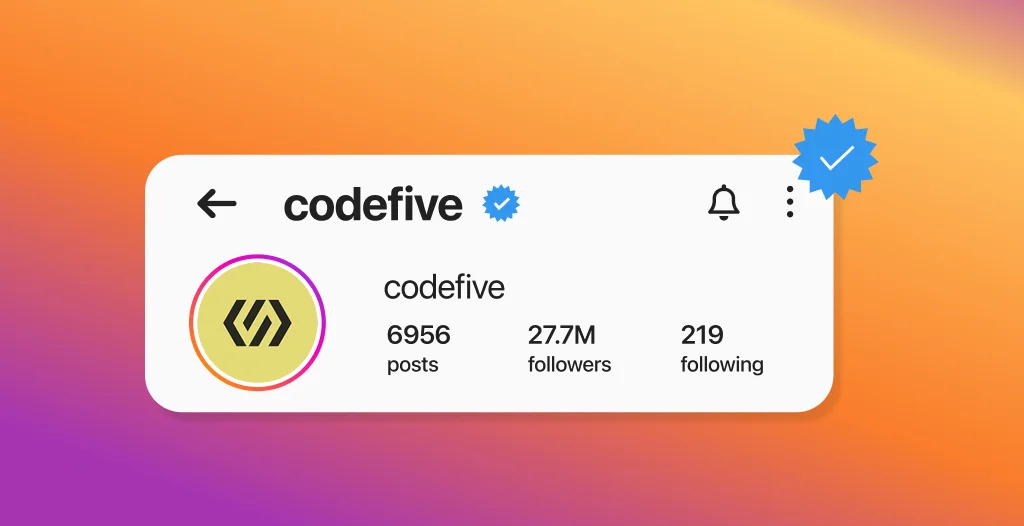
1. Get the Instagram Verified Badge
The verified badge (blue tick) builds instant trust.
It helps your brand:
- Appears authentic
- Looks professional
- Avoid fake duplicates
- Increase customer confidence
Now, brands can verify themselves by paying the social media platform through paid subscription. For any growing enterprise, it’s a smart investment to enhance credibility.
2. Make Your Account Easy to Find
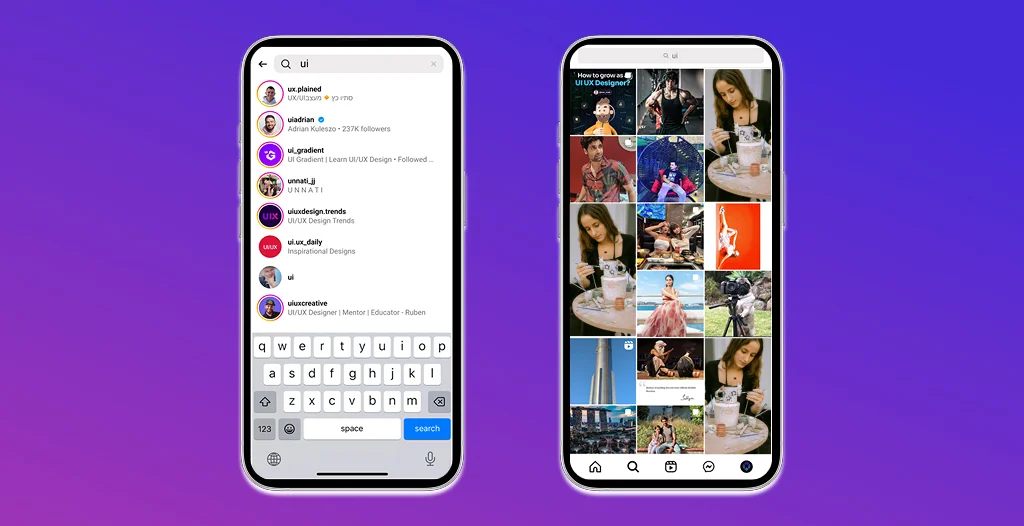
You should make it easy for people to search and find your brand.
Best tips:
- Keep the username and brand name consistent
- Use clear words instead of complex names
- Add searchable keywords in your bio
This improves your visibility in Instagram’s in-app search.
3. Share Your Instagram Profile Everywhere
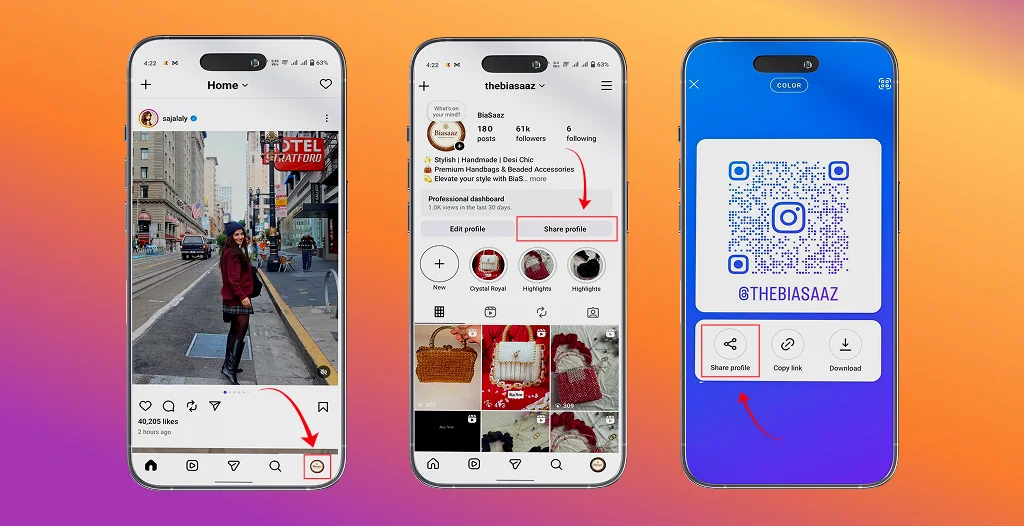
Don’t wait for customers to find you. Help them reach you faster.
You can share your profile link or QR code:
- On your website
- On other social media platforms
- In emails
- On packaging
- On posters and flyers
- On business cards
The easier it is to find you, the more chats and sales you will receive.
How Reflys Helps You Automate Instagram Business Chat
For brands that want smart automation, Reflys is a powerful solution.
With Reflys, you can:
- Automatically reply to Instagram messages
- Create smart chat flows
- Capture and store leads
- Qualify customers
- Send follow-up messages
- Reduce manual workload
Reflys helps you work smarter, not harder. It allows you to handle hundreds of conversations without stress, while still giving customers a personal experience.
This is perfect for:
- Growing businesses
- E-commerce brands
- Service-based companies
- Agencies
Expert Tips to Manage Instagram Business Chats Effectively
Here are some practical tips to handle your chats like a professional:
- Check messages every day
- Respond as quickly as possible
- Use the customer’s name in replies
- Keep your tone friendly and human
- Give step-by-step answers
- Use emojis to make the chat light and engaging
- Send short voice notes or GIFs when needed
When customers feel heard and respected, they trust your brand more.
Common Mistakes to Avoid in Instagram Business Chat
Many brands lose customers due to basic errors. The common mistakes include
- Delayed replies
- Robotic or cold responses
- Ignoring message requests
- Not using automation
- Not following up
Even a fixation of tiny errors can result in huge improvements to your conversion rate and increase customer satisfaction
Why Instagram Business Chat Is a Must for Brands in 2025?
Customers today expect:
- Instant answers
- Easy communication
- Personalized support
Instagram Business Chat allows brands to provide all basics from a single location.
It helps you:
- Improve brand image
- Increase customer loyalty
- Close more sales
- Build long-term relationships
When used properly, it can become one of the strongest marketing and support tools.
Conclusion
Having Instagram Business chat is no longer a choice; it’s a need for any brand looking to grow.
It enables you to connect directly with customers, establish trust and grow your business more quickly. No matter if you’re a small startup or big business, it’s a game-changer for the way you interact with your audience. Integrate Instagram Business Chat with intelligent automation bots such as Reflys and you can save time, enhance customer experience, and more effectively scale your business.
Now, it is the best time to start using Instagram Business Chat and turn conversations into real business growth.

Muhammad Ali Hassan
Muhammad Ali Hassan is a versatile Software Engineer and Full-Stack Developer with a robust foundation in software engineering principles. Specializing in technologies such as ReactJS, .NET, ColdFusion, and Lucee, Ali has a proven track record of building scalable web systems and custom software solutions. He is dedicated to clean code and performance optimization, consistently exploring emerging web technologies to deliver high-impact digital products.
Frequently Asked Questions:
It’s a specialized messaging interface for the professional accounts. It provides features such as “Icebreakers”, quick replies and message filtering that enables brands to deal with customers more efficiently than a typical personal account.
Yes. There are basic ” Saved Replies” for the app, but it is the Instagram Graph API that makes this automation possible. This enables you to link other platforms, such as Reflys, to deal with high volumes, establish chatbots, and make sure that no lead is disregarded.
The friction of DMs is very low. Some users prefer to use a chat service they often use to locate a quick answer to their question, instead of having to navigate a site and complete a contact form. This results in quicker lead generation and greater levels of trust.
By using the API, you can sync your DMs with a CRM. That will allow you to label users by their interests or sales funnel stage, enabling you to easily follow up on the prospect of a sale later.