The TikTok Ref URL trigger lets you create a special link. When someone clicks this link, it opens a TikTok chat and starts an automation message. This helps you begin conversations from websites, emails, or social pages.
How TikTok Ref URL Works?
The user clicks your Ref URL link.
The link opens the TikTok app or browser if the app is not installed.
A preset message appears in the TikTok inbox.
This message starts your automation flow.
This gives you a simple way to guide users into a TikTok chat without asking them to search for your account.
How to Set Up TikTok Ref URL Trigger in Reflys?
You can add this trigger to a new automation or an existing one.
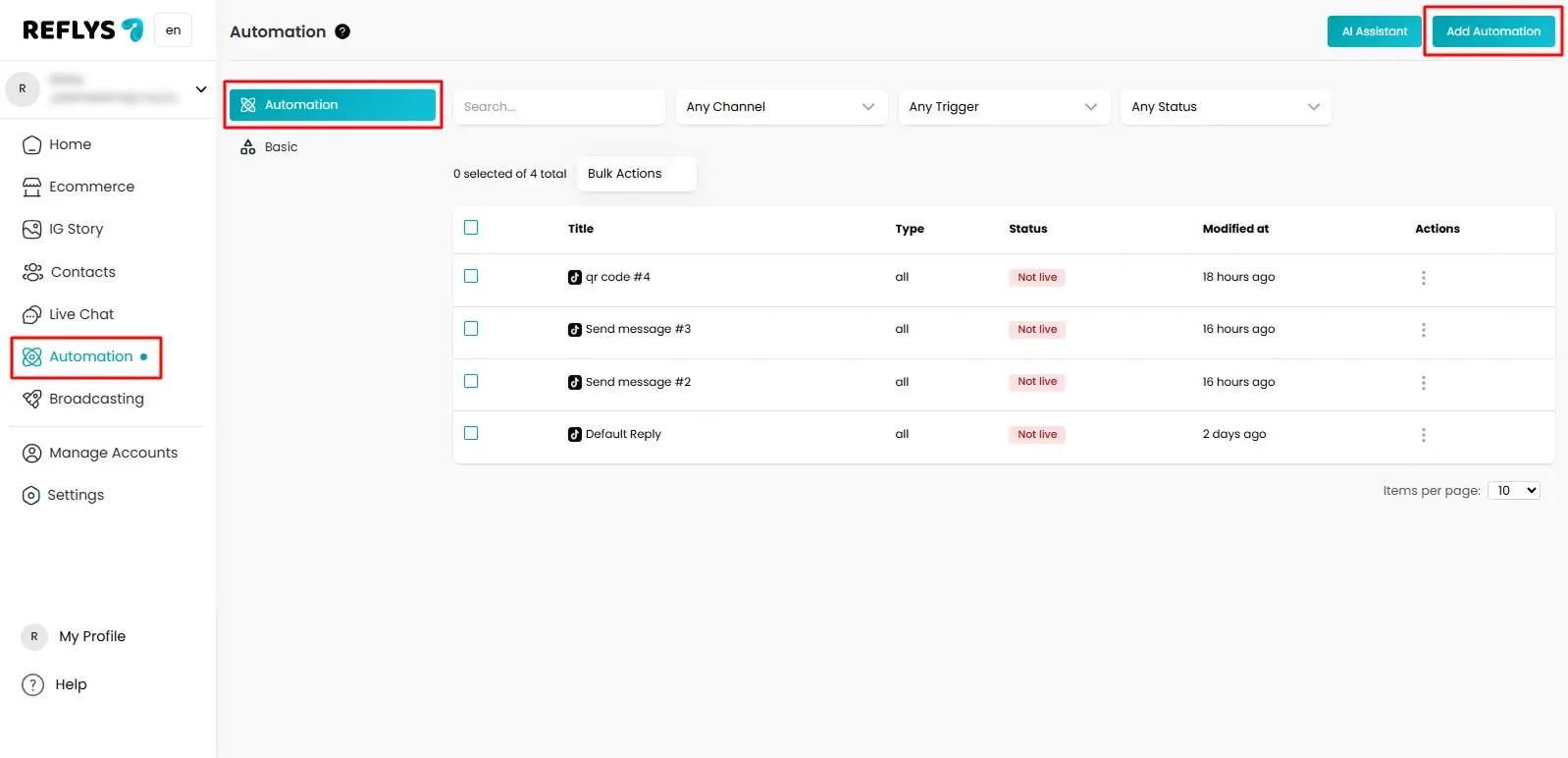
Step 1: Go to Reflys Dashbord and Open Automation Tab
Log in to your Reflys dashboard.
Go to the Automation tab.
Click the New Automation button.
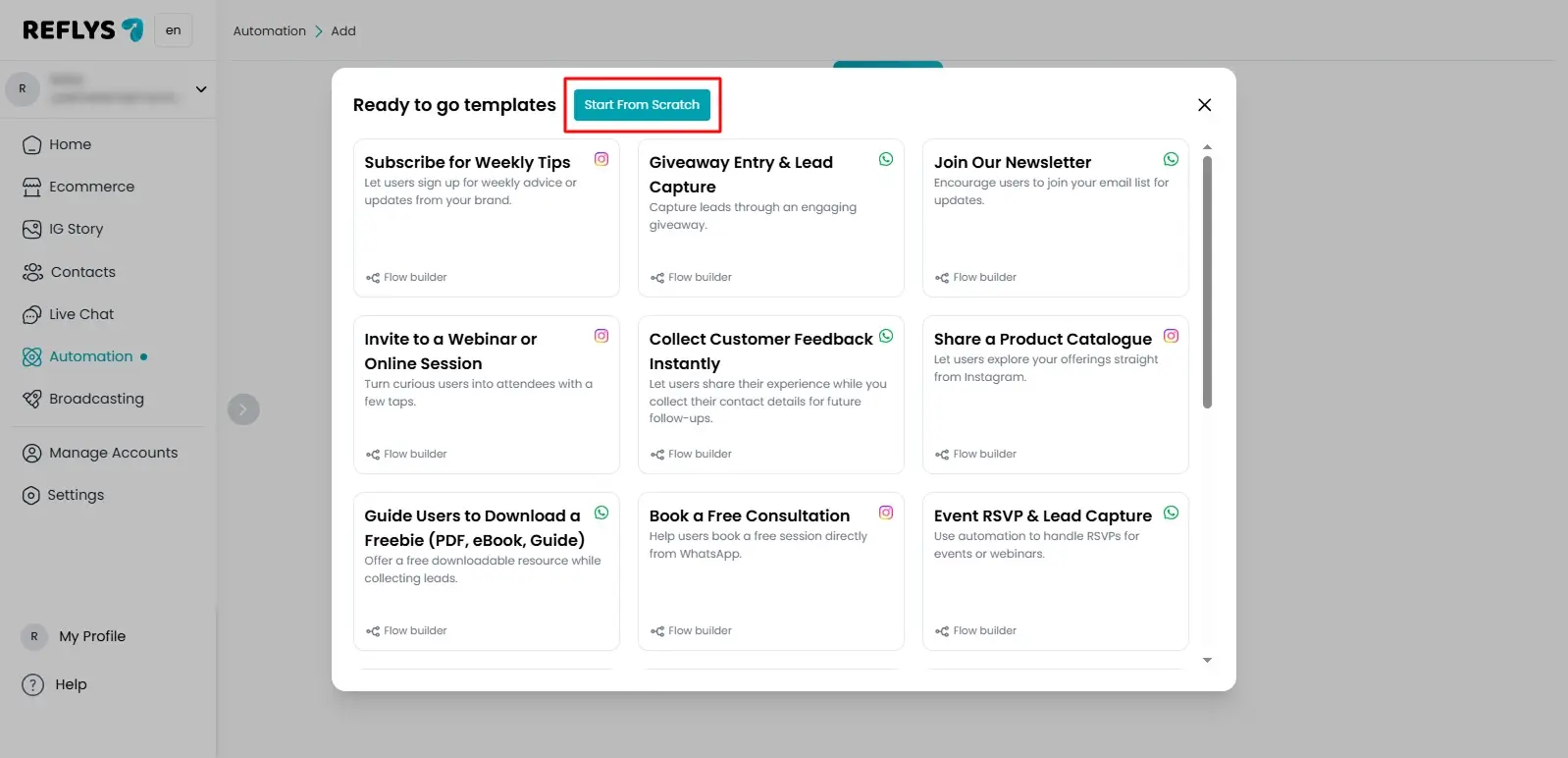
Step 2: Start from Scratch to Start Building Your TikTok Automation
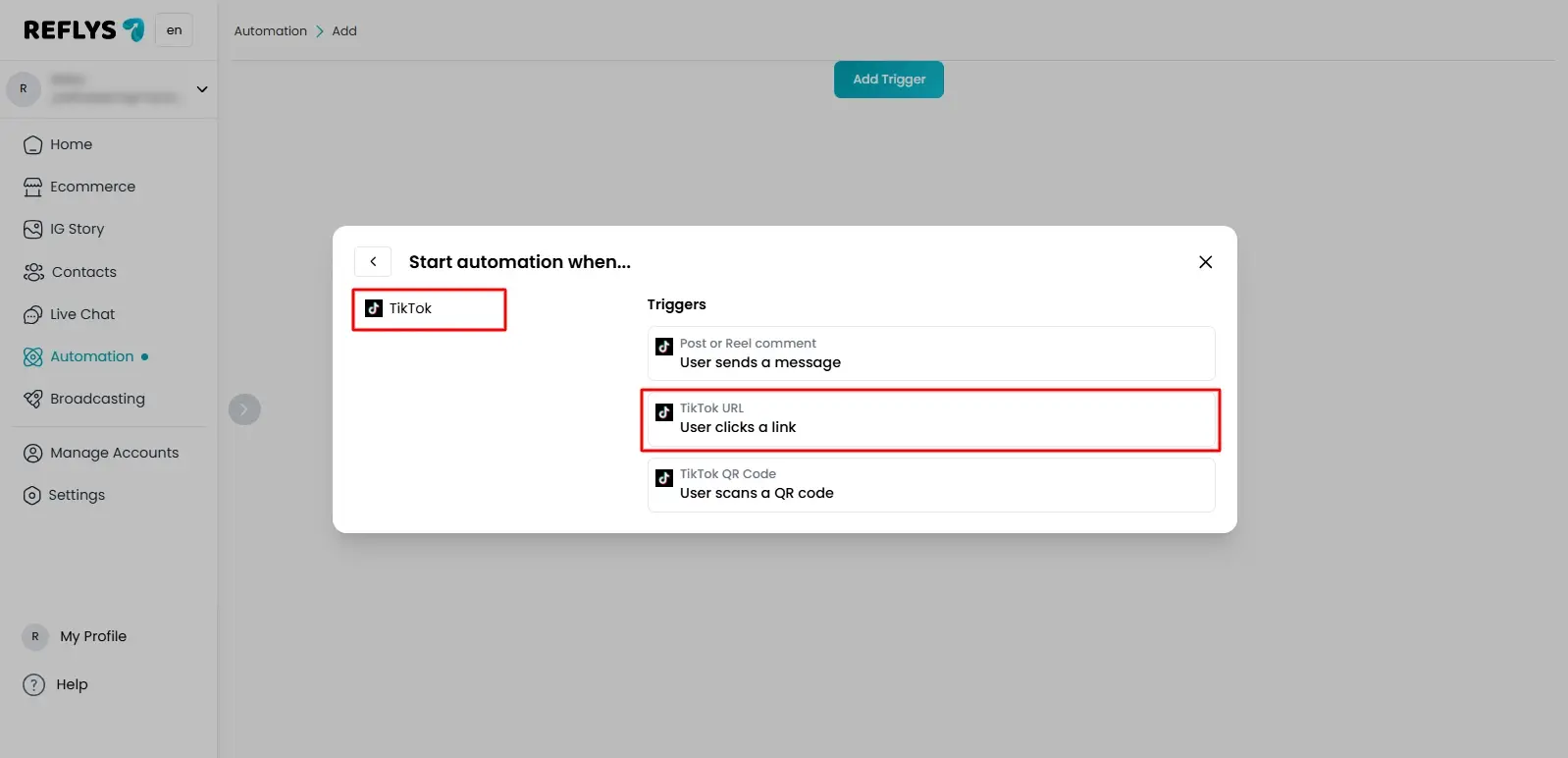
When the Flow Builder opens, select TikTok
From the trigger list, choose User clicks a link.
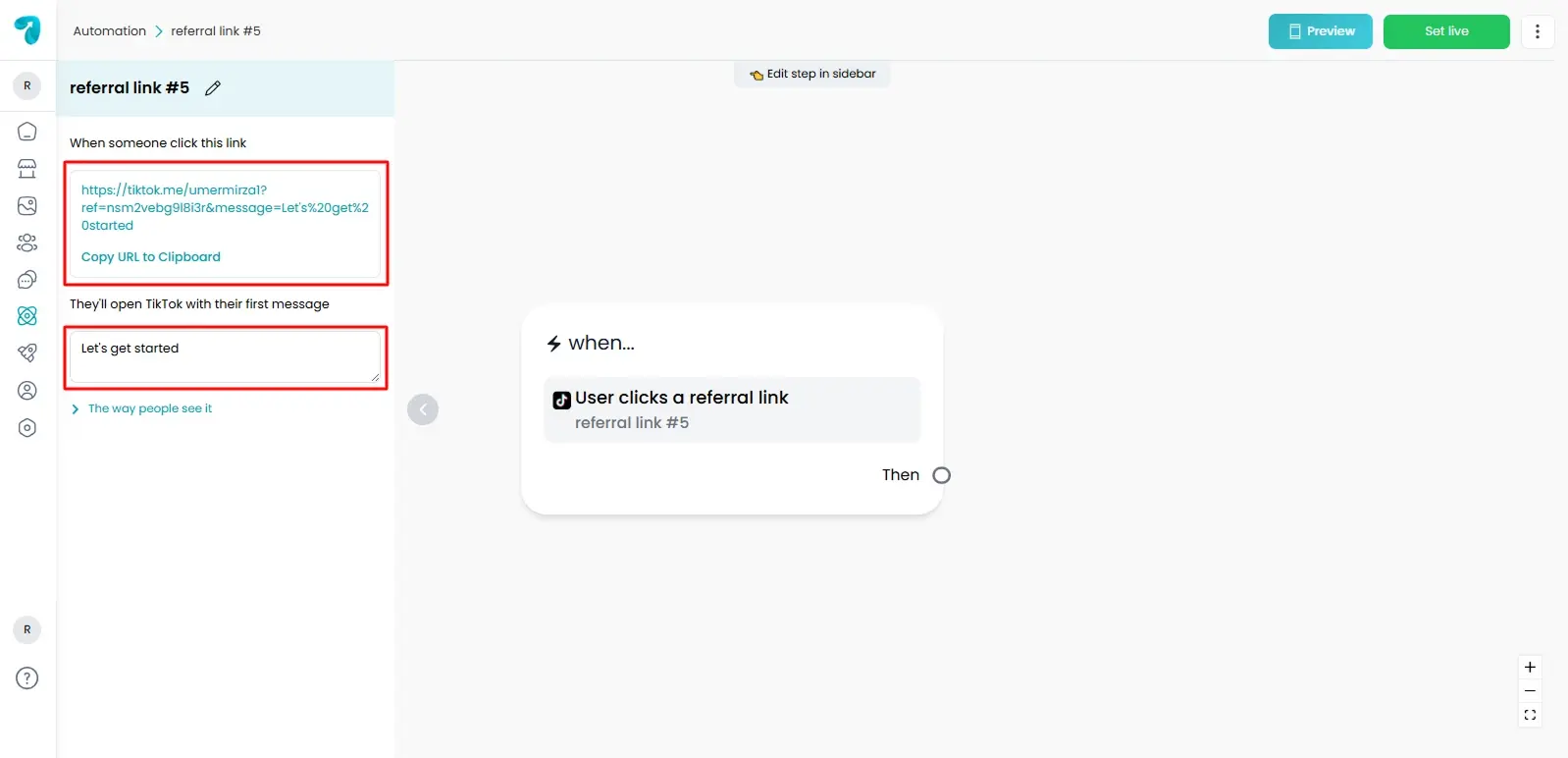
Step 3: Configure Trigger Details
Click the added trigger.
A settings panel opens on the left side.
Here you will set your Ref URL message.
This message will appear in the user chat when they open TikTok. It becomes the first message and starts your automation.
Step 4: Preview the Message
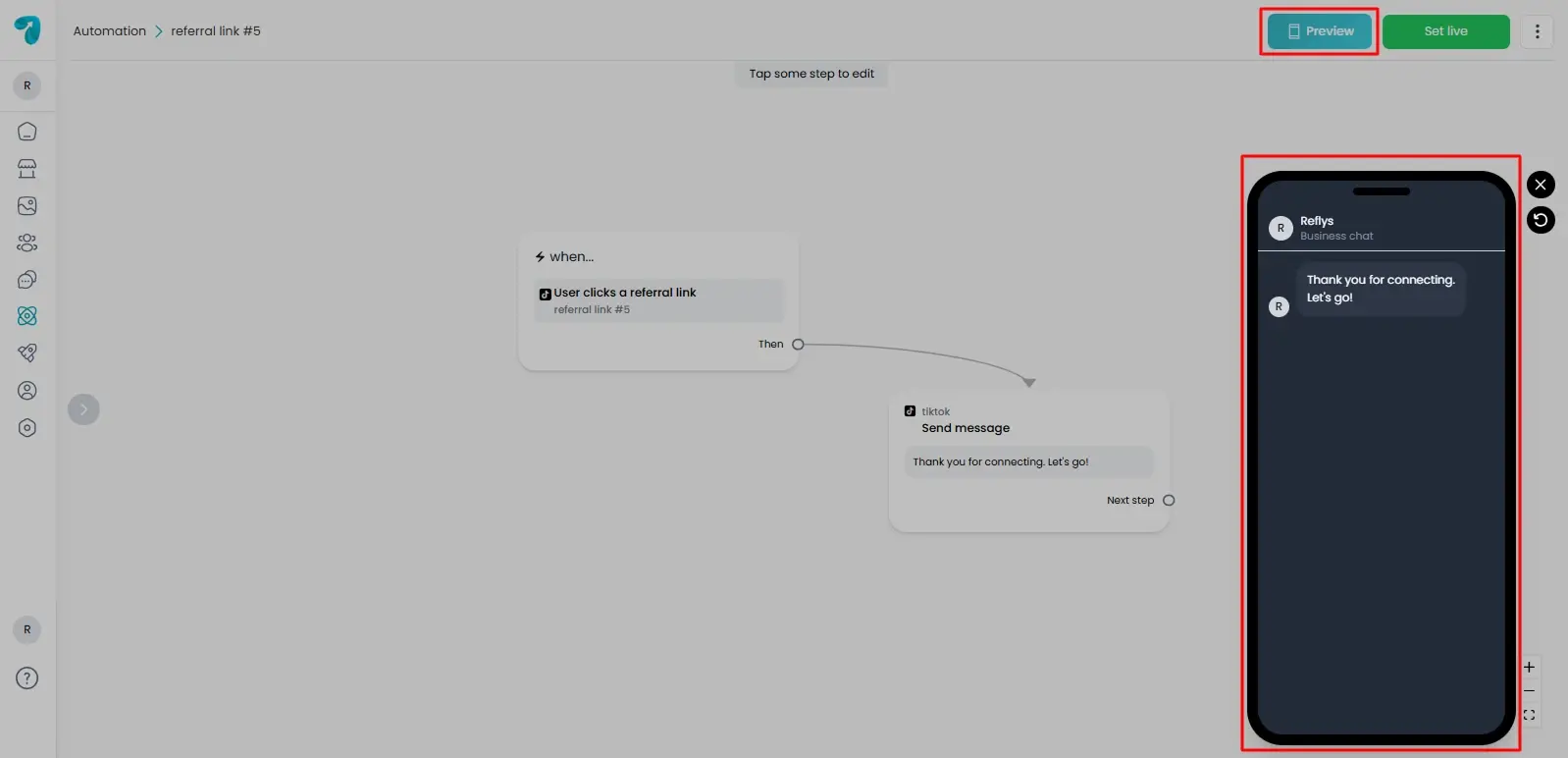
Use the preview option to see how the message will look in TikTok chat.
Step 5: Save the Automation
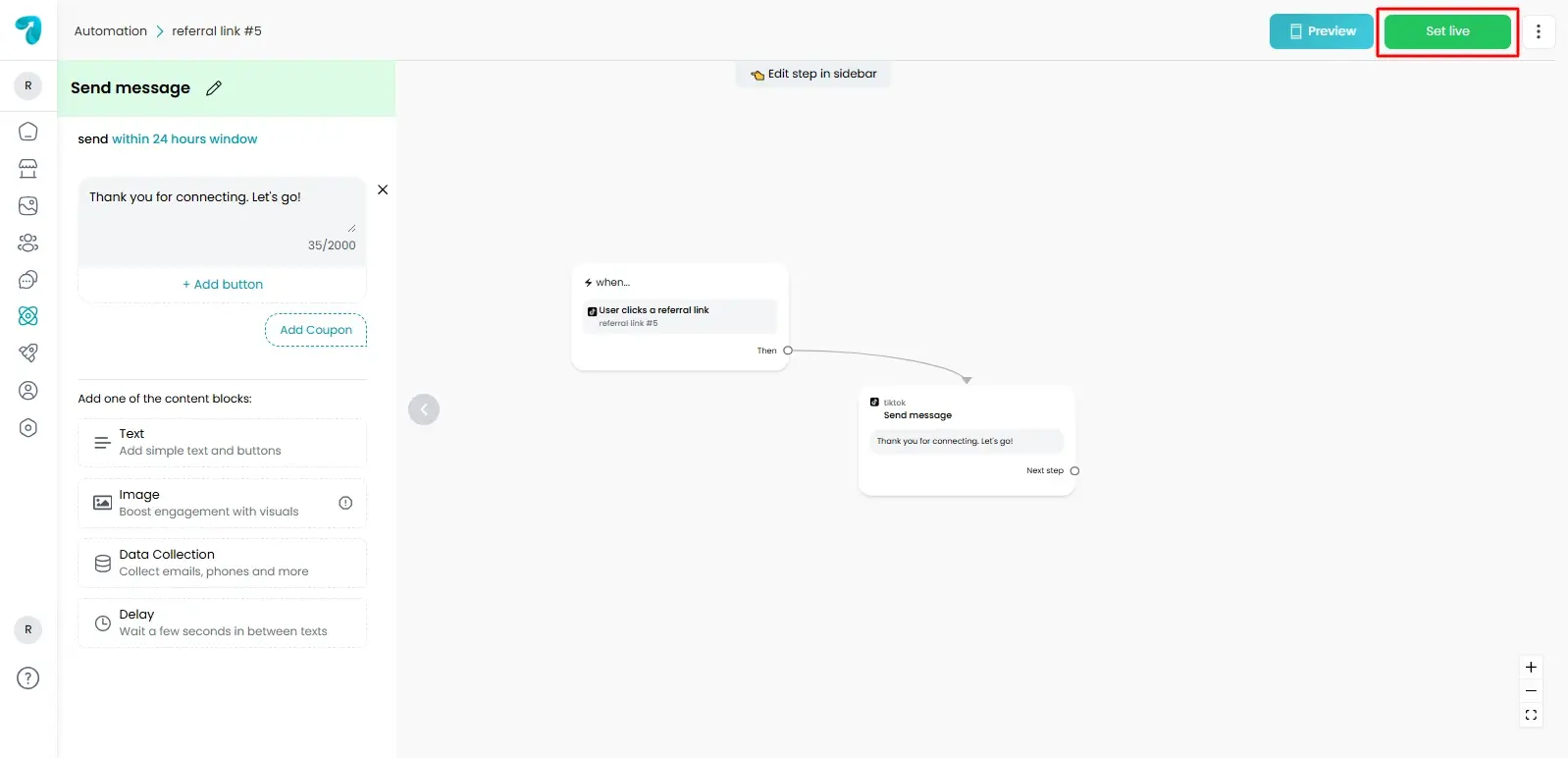
After setting everything, click ‘Set Live’ to activate the flow.
The Tik Tok Ref URL trigger assists you in a conversation beginning anywhere your audience is already engaged with you. After a single tap and a pre-recorded message, you can become a part of your TikTok chat and rely on your automation.