
TikTok Automation in Reflys: A Simple Guide
TikTok users send messages every day. They ask about prices, services, and details. Replying to each message manually is hard and time-consuming.
Reflys helps you reply to TikTok messages automatically. It starts conversations for you and helps you manage chats without staying online all the time.
This guide explains how TikTok automation works in Reflys in simple words.
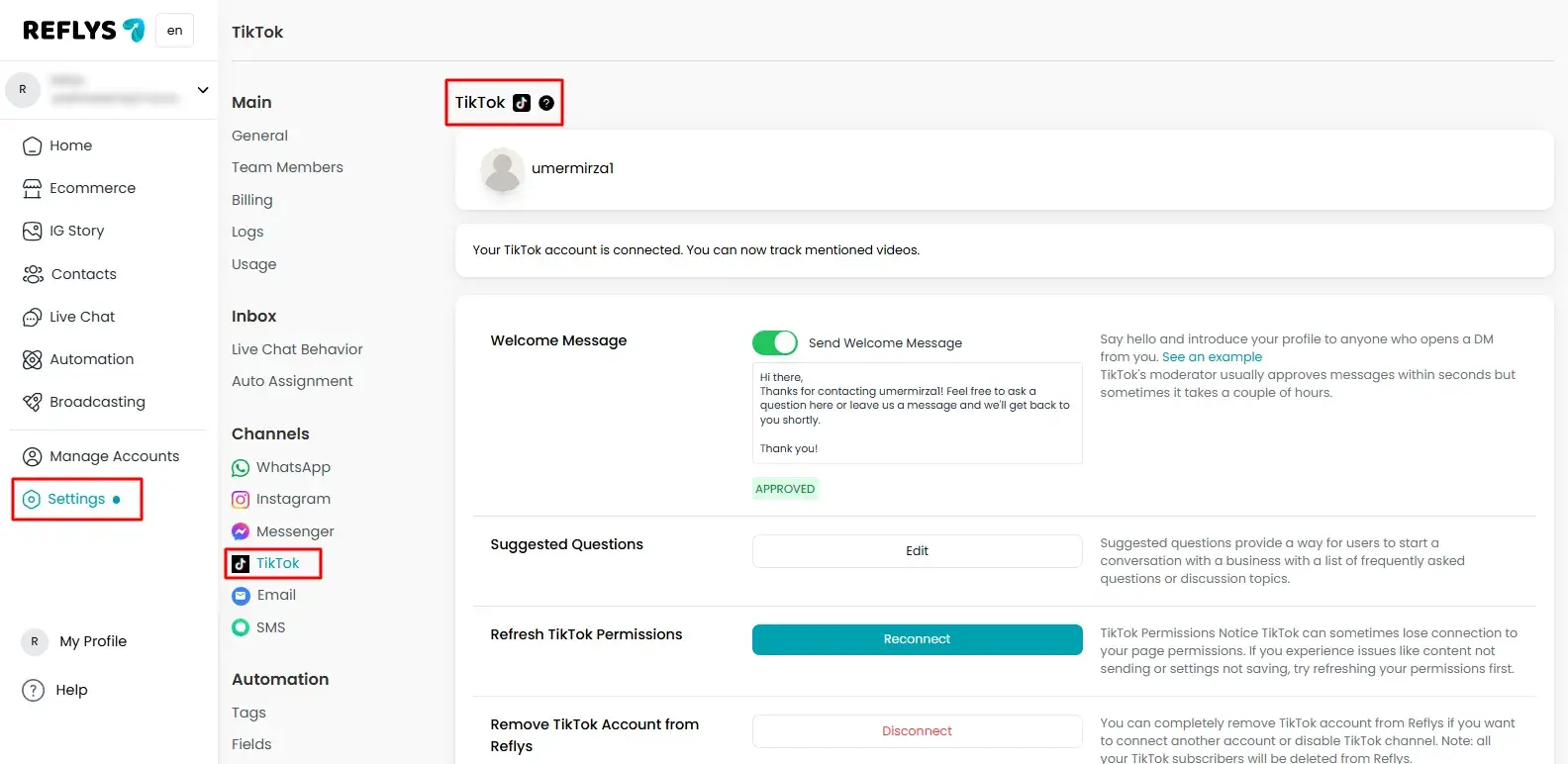
What TikTok Automation Means in Reflys?
TikTok automation in Reflys means your account replies to messages automatically.
When someone sends you a message, Reflys sends a reply on your behalf.
This helps you
- Reply on time
- Talk to more people
- Avoid missing messages
- Save daily effort
- Engage more audience
All conversations happen inside TikTok messages.
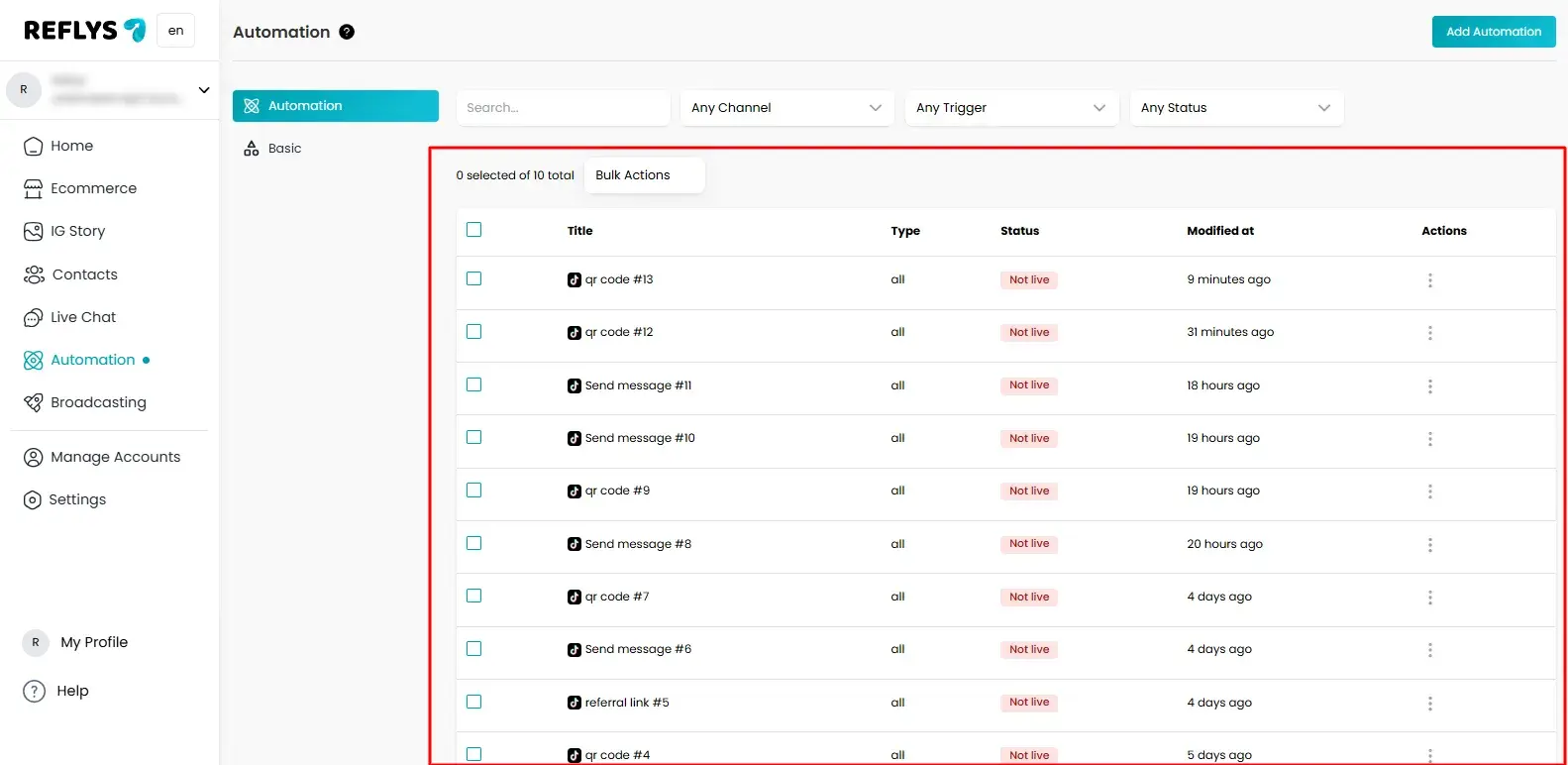
How to Start a Conversation on TikTok?
A conversation starts when a user interacts with your TikTok account.
This can happen in different ways. Once it happens, Reflys starts the message flow you have set.
Here is what happens
- A user sends you a message or opens chat
- Reflys detects it
- A reply is sent automatically
- The chat continues step by step
User Sends a Message Trigger
This is the most common way to start automation.
When someone sends a message to your TikTok Business account, Reflys replies automatically.
You can use this to
- Greet users
- Answer common questions
- Ask what they need
- Start lead collection
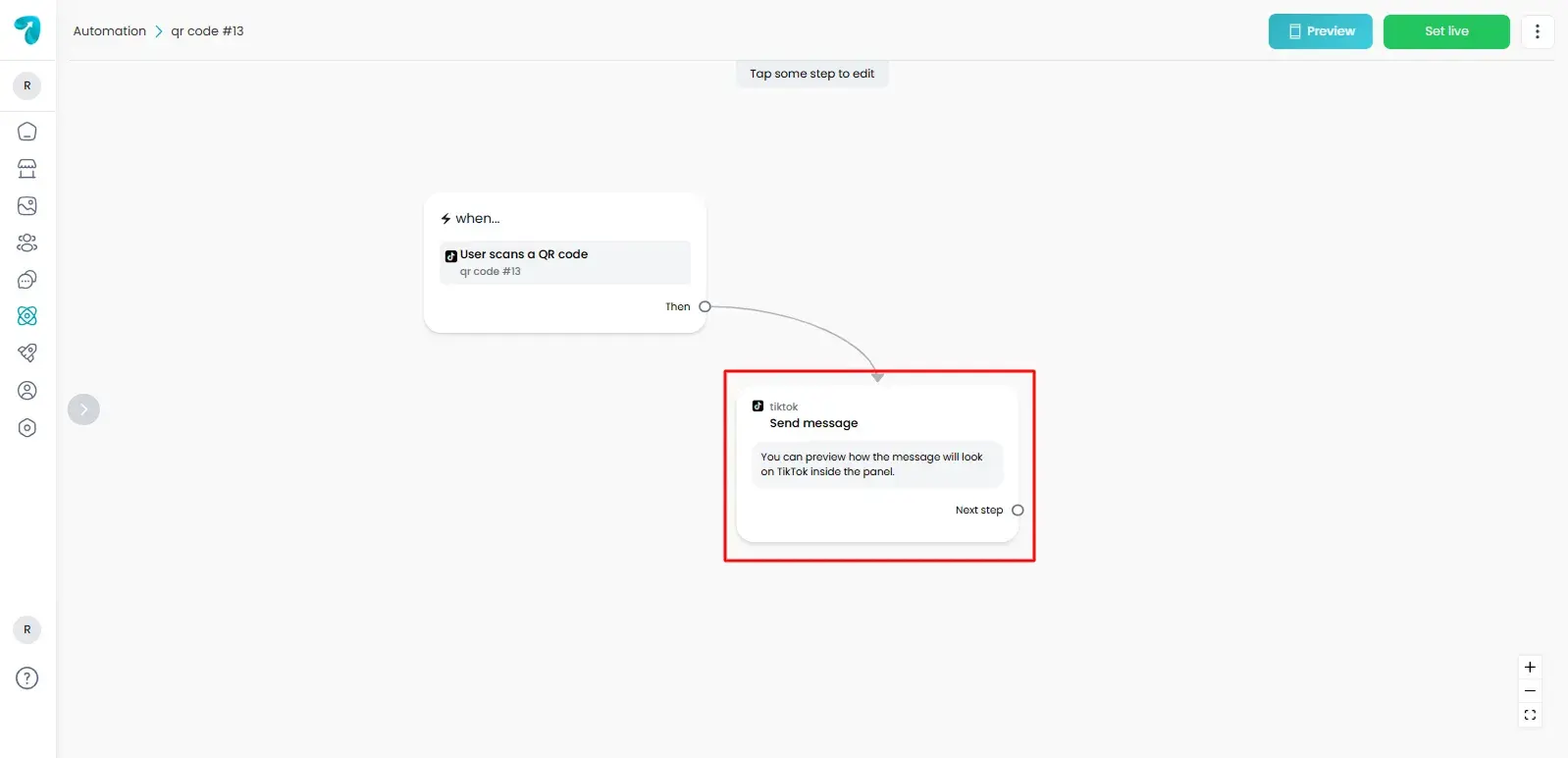
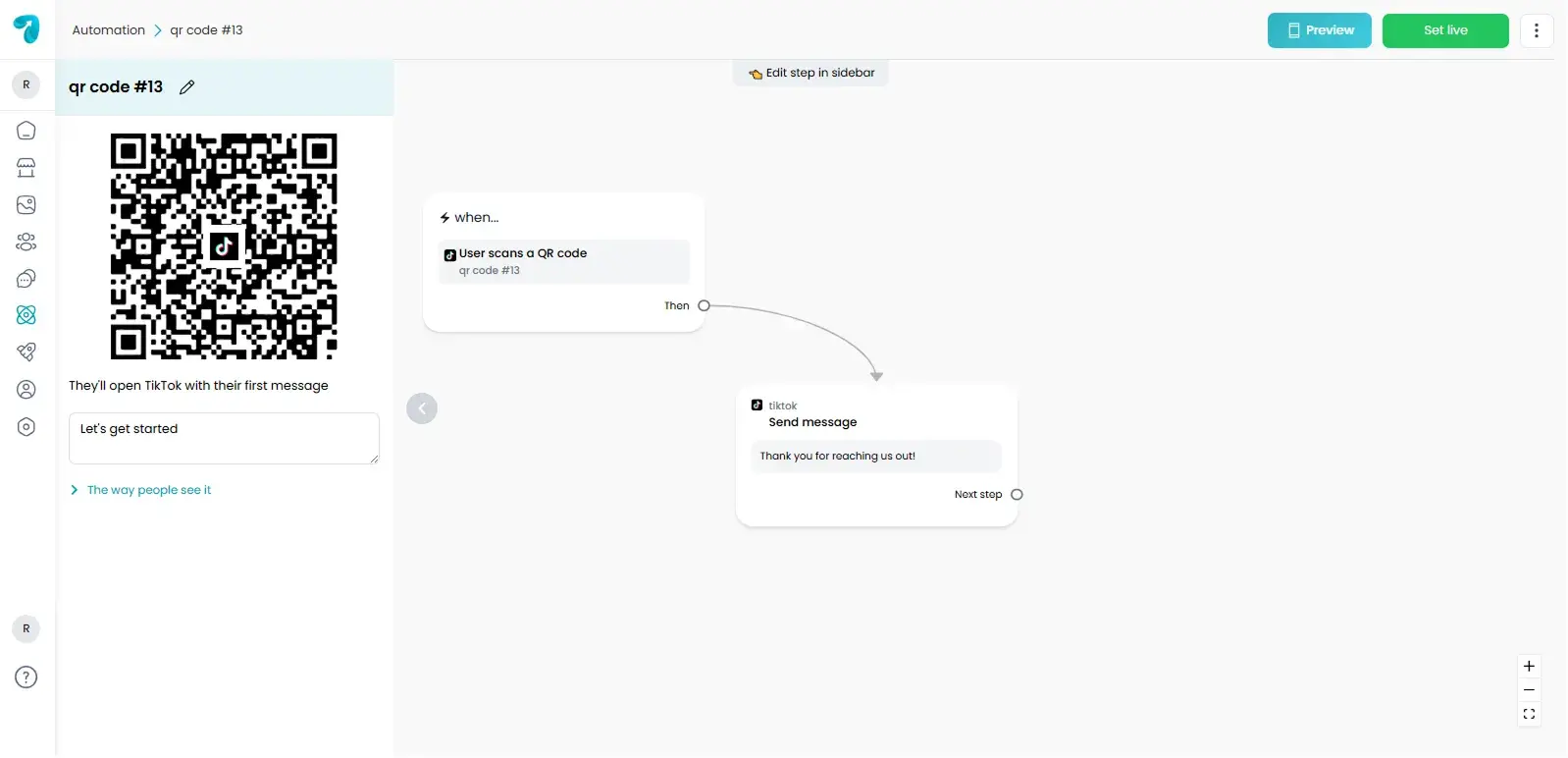
QR Code Trigger
Reflys also gives you a QR code to start chats.
When a user scans the QR code, it opens your TikTok chat and sends them into the automation.
You can use QR codes on
- Posters
- Counters
- Product boxes
- Websites
This is helpful when you want people to message you quickly.
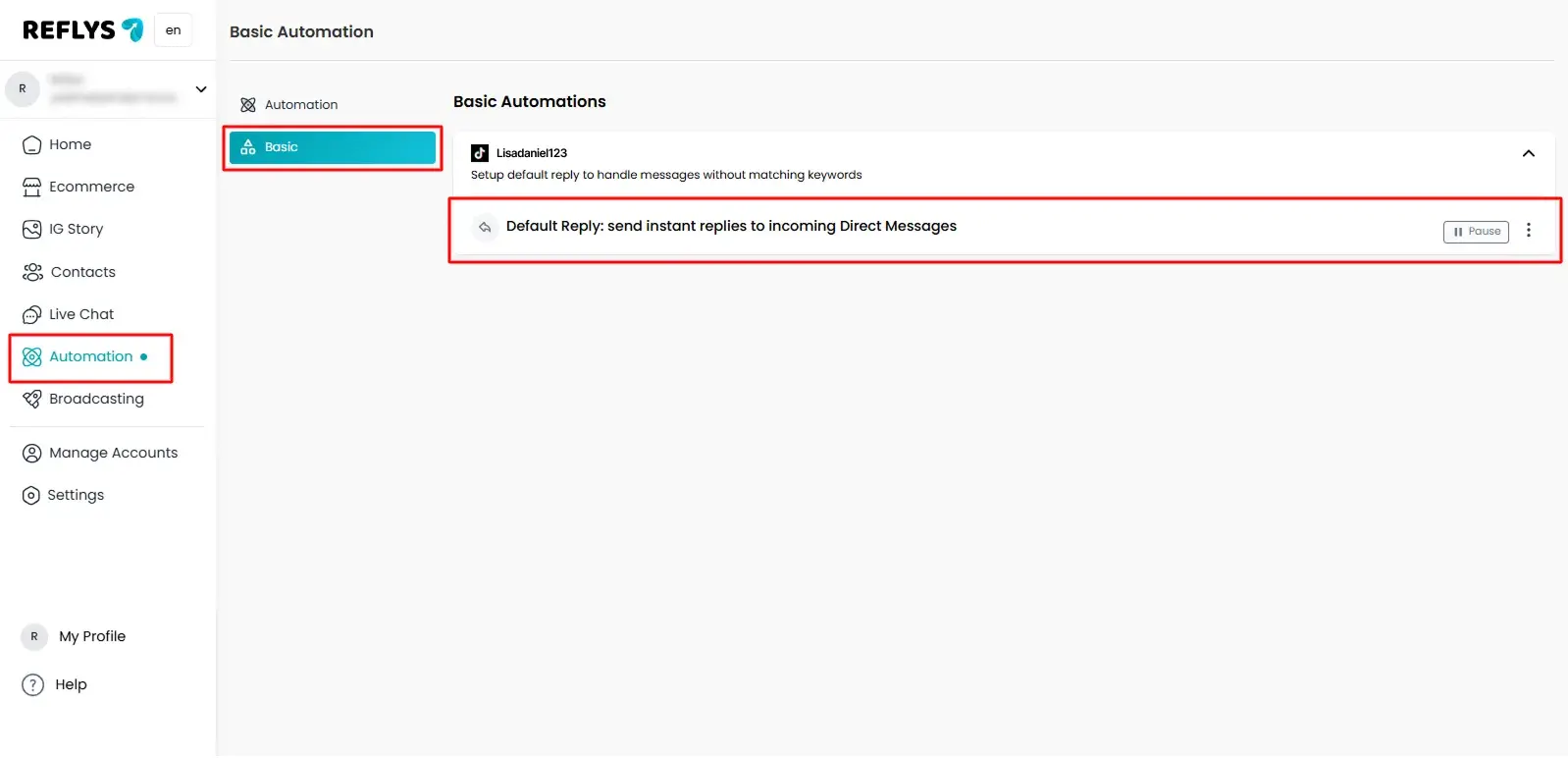
Automatic Default Replies
Automatic replies help you answer users without typing every time.
You can use them to
- Say hello
- Share basic details
- Ask simple questions
- Guide users forward
These replies feel normal and friendly when written in your own words.
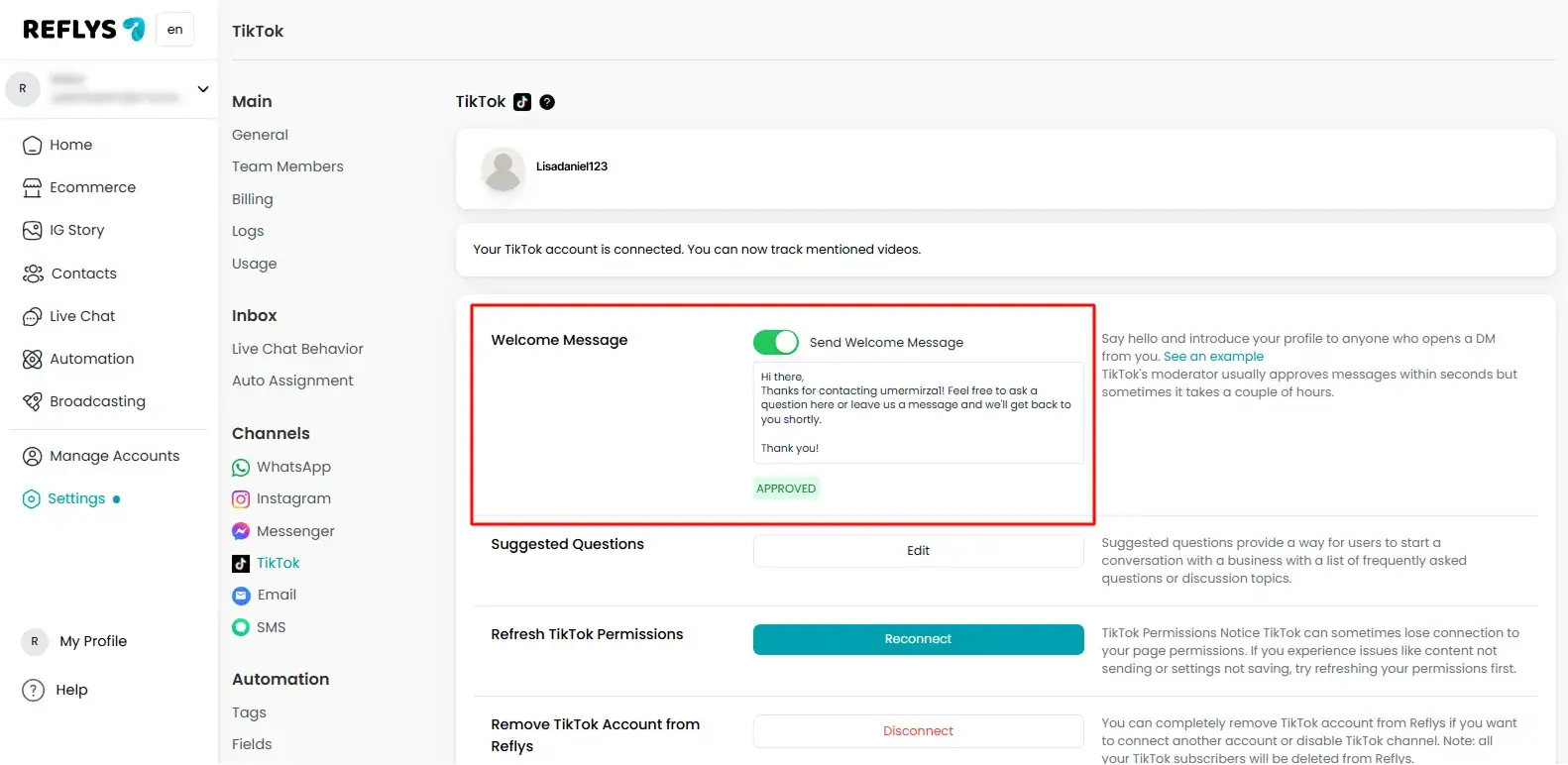
Welcome Message
A welcome message appears when someone opens your TikTok chat.
It helps users know what to do next.
- You can use it to
- Welcome users
- Tell them how you can help
- Ask them to send a message
If the chat is cleared, the welcome message shows again
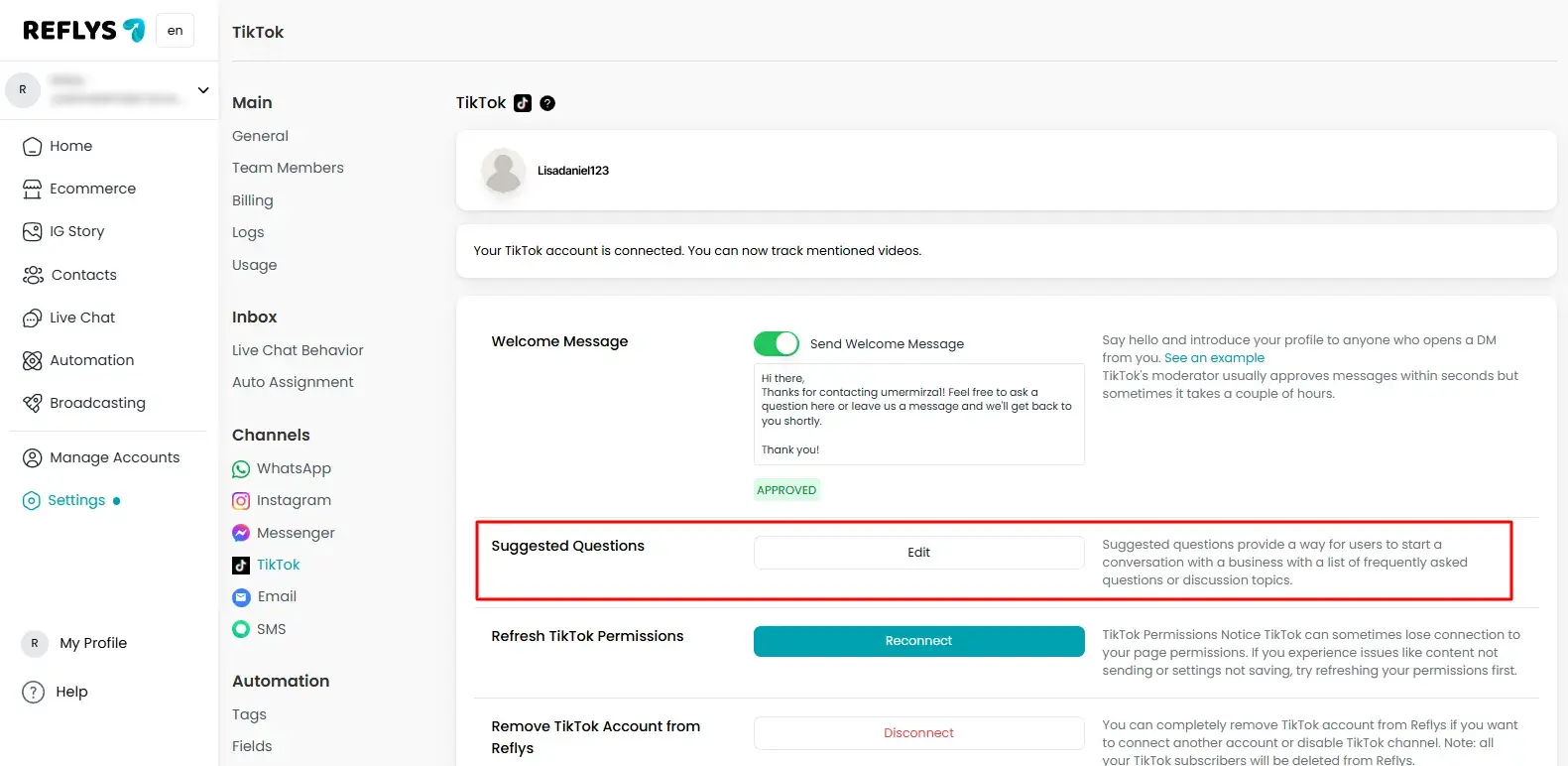
Suggested Questions
Suggested questions are ready-made options users can tap. They help users start chatting without typing. Suggested questions provide a way for users to start a conversation with a business by offering a list of frequently asked questions or discussion topics.
You can add up to three questions.
Suggested questions help
- Save time
- Reduce confusion
- Guide users easily
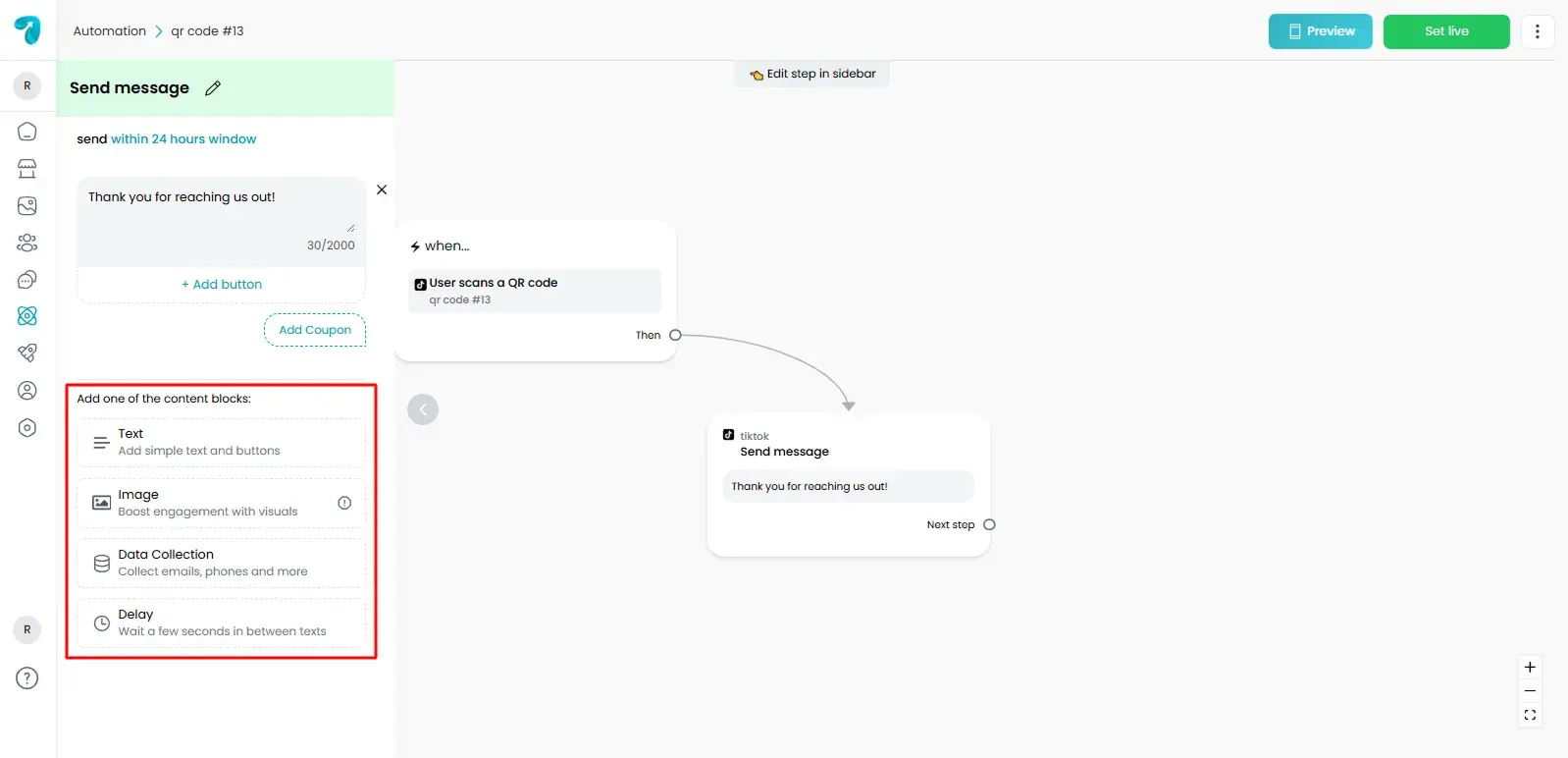
Message Options You Can Send
Reflys lets you send different types of messages on TikTok.
You can send
- Text
- Images
- Links
Images and videos help explain things clearly.
Message Time Limit
TikTok allows messages only for a limited time.
Here is how it works
- You can create up to three suggested questions.
- You can send up to 10 messages within 48 hours
- These messages do not need a reply
- After 48 hours, the user must message again
This rule is set by TikTok.
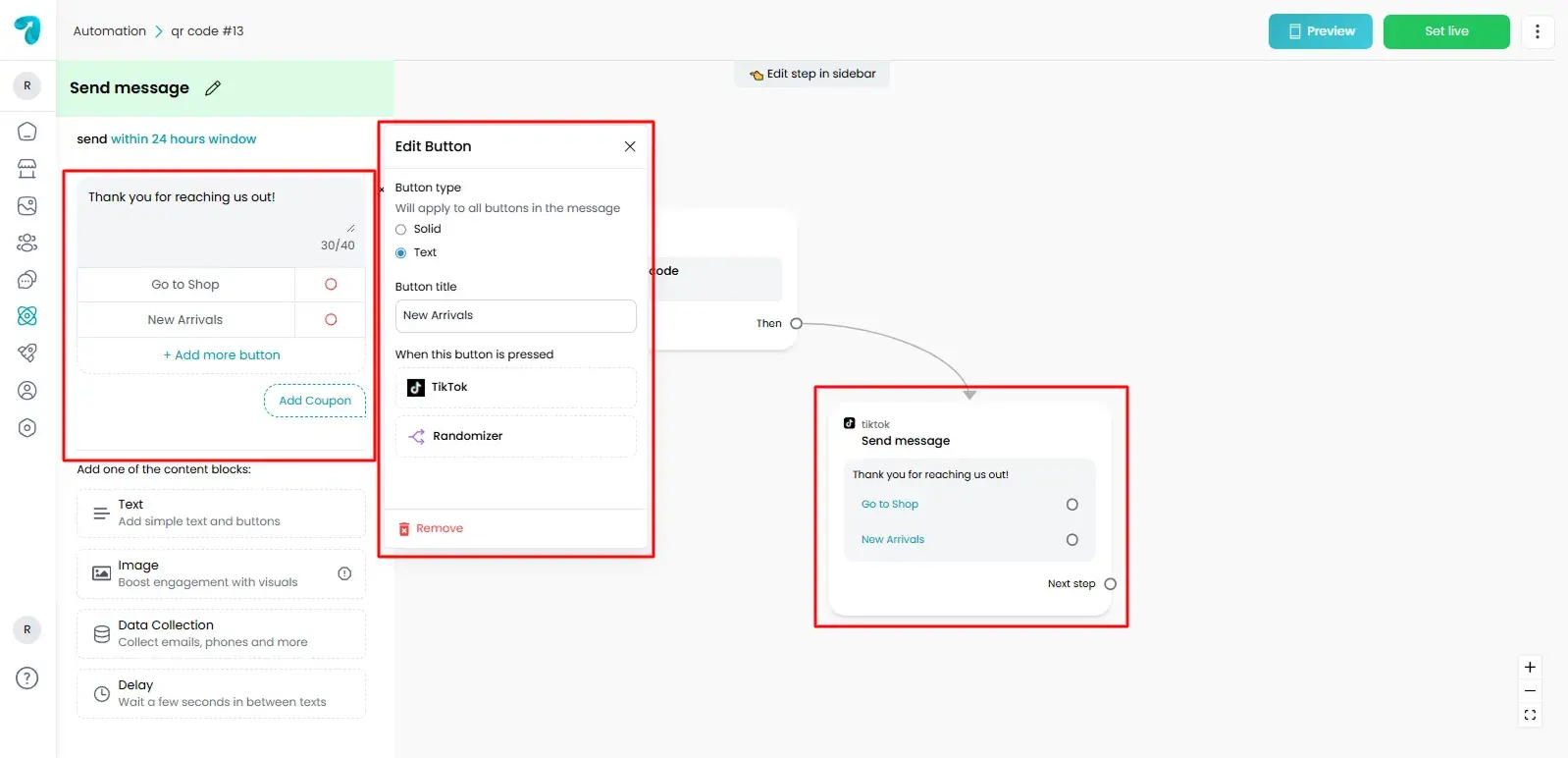
Buttons in Messages
Buttons help users choose quickly. You can use simple buttons to guide users in the chat.
At the moment
- Simple buttons work
- Buttons inside images do not work
- Website open buttons are not available
Links in TikTok Messages
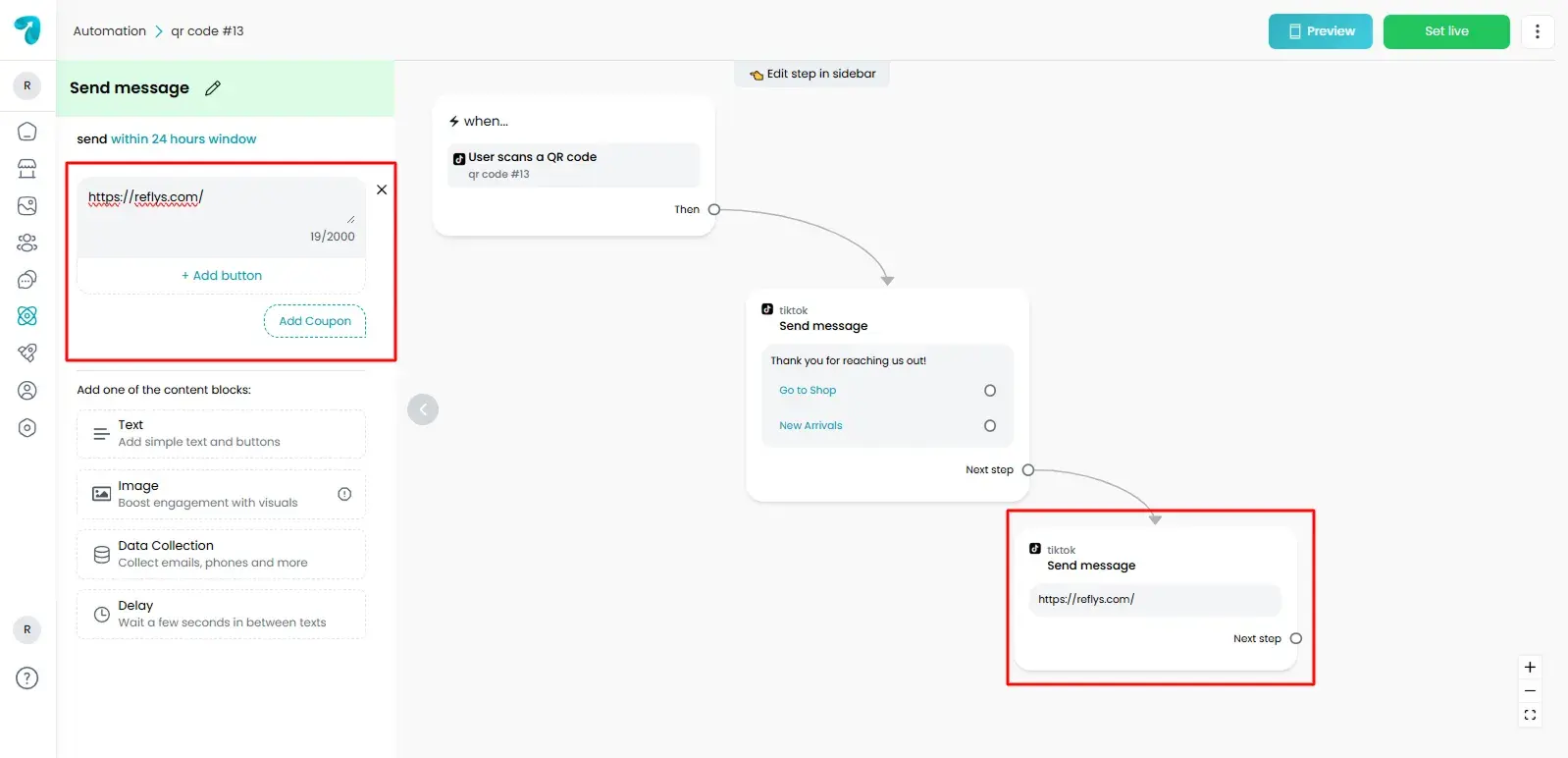
You can share links in messages.
Links do not open directly inside TikTok chat. Users can copy the link and open it in their browser. Sending the link as a separate message works better.
Why Use Reflys for TikTok Automation?
Reflys is easy to use and made for beginners.
It helps you
- Reply automatically
- Talk to more users
- Collect leads inside TikTok
- Manage everything in one place
- You do not need technical skills to get started.
Final Words
Every TikTok message is an opportunity. With Reflys TikTok Automation, you can respond faster, guide users clearly, and turn interest into action without staying online all day.
Set it once. Let it run. Grow smarter on TikTok with Reflys.