
TikTok Default Reply in Reflys
With Reflys’ TikTok default replies, you can respond to your customers instantly without any manual efforts. When a customer DM you for a query they expect instant response. Reflys helps you to send custom default replies to your customers whenever they send you a message, you don’t need to worry about your availability 24/7.
A default reply is a powerful feature that keeps your audience engaged even when you are unavailable. It works only when you don’t have any predefined trigger selected for the customer query. It serves as a backup, ensuring users always receive a response to keep the conversation smooth and seamless.
How to Set Up a TikTok Default Reply in Reflys
Setting it up is quick and easy. Here’s how:
1. Go to Settings
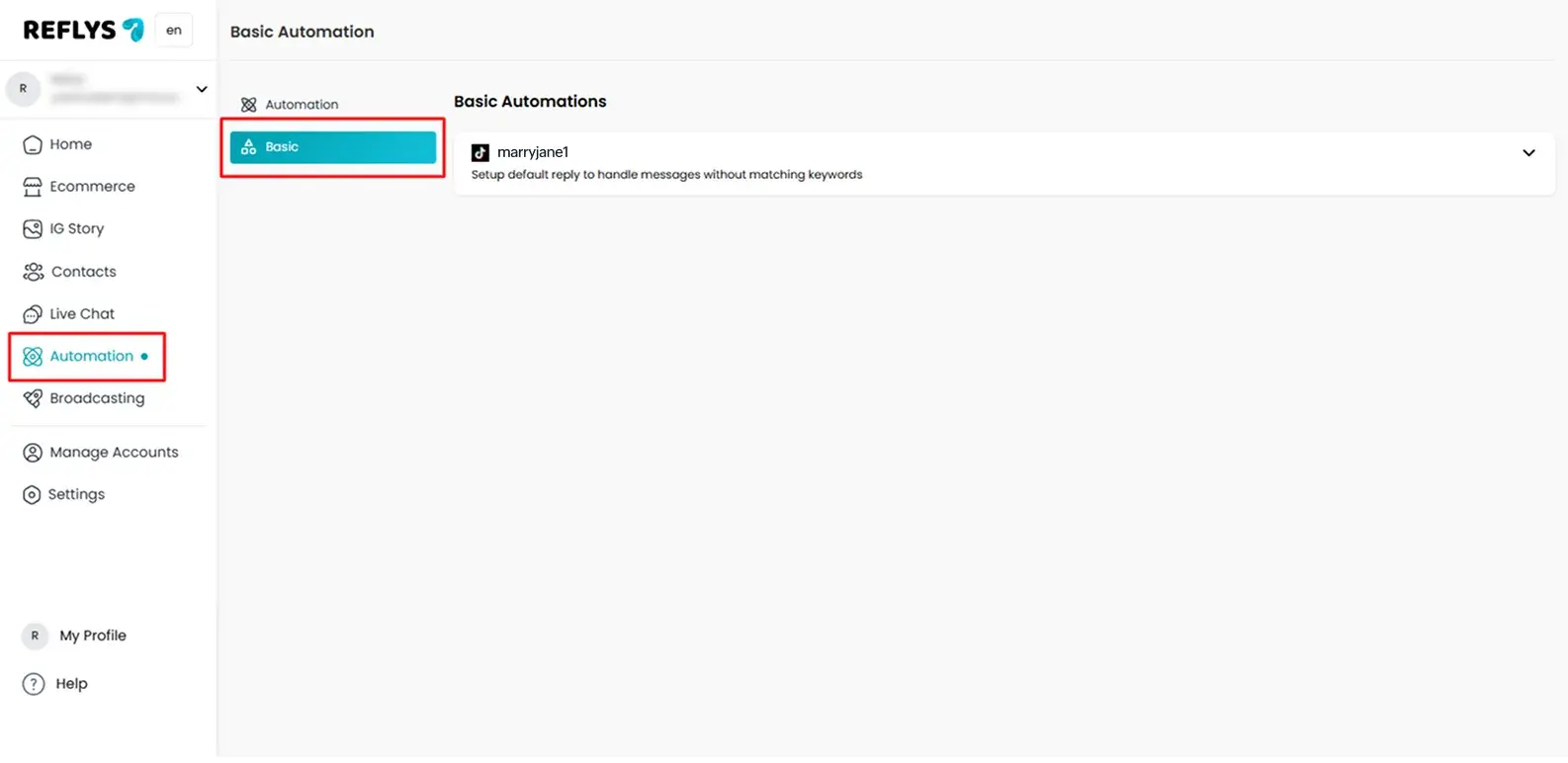
From your Reflys dashboard, click on Automation, then select Basic > TikTok.
2. Choose "Default Reply"
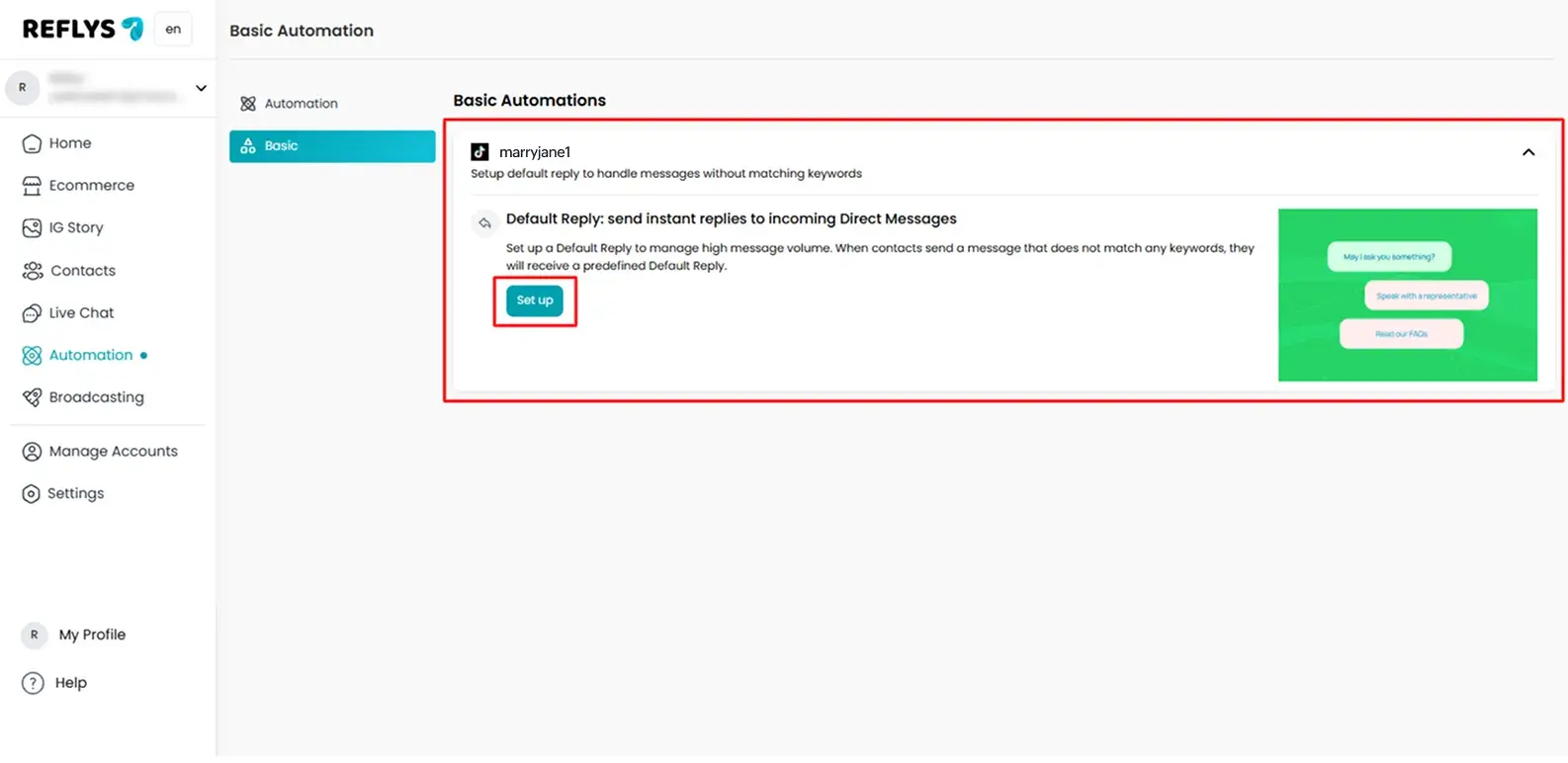
Inside the TikTok settings, find and click on Default Reply > Set Up.
3. Create or Edit a Reply Flow
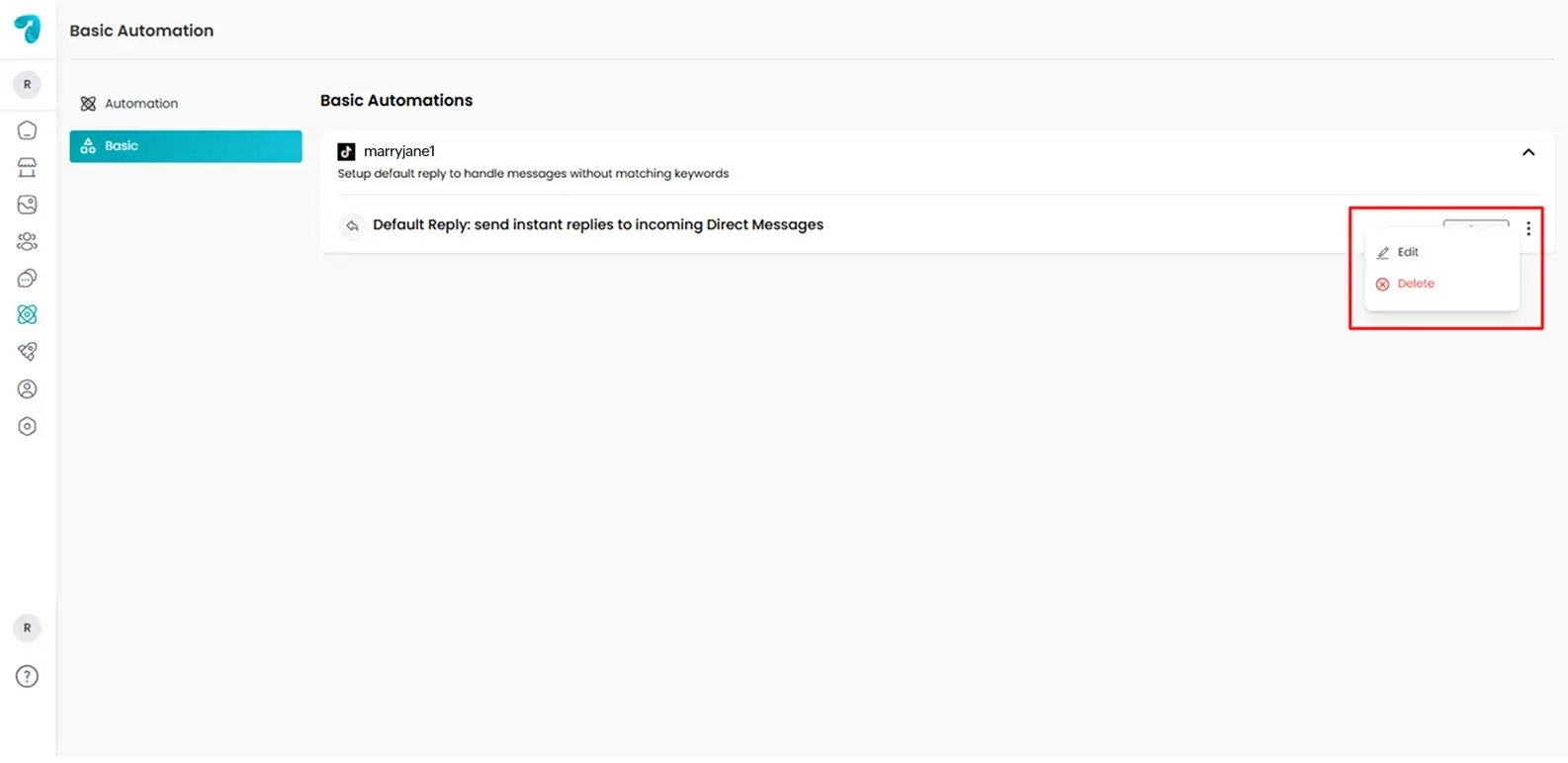
You can create a new automation or edit a previously saved automation from your saved flows
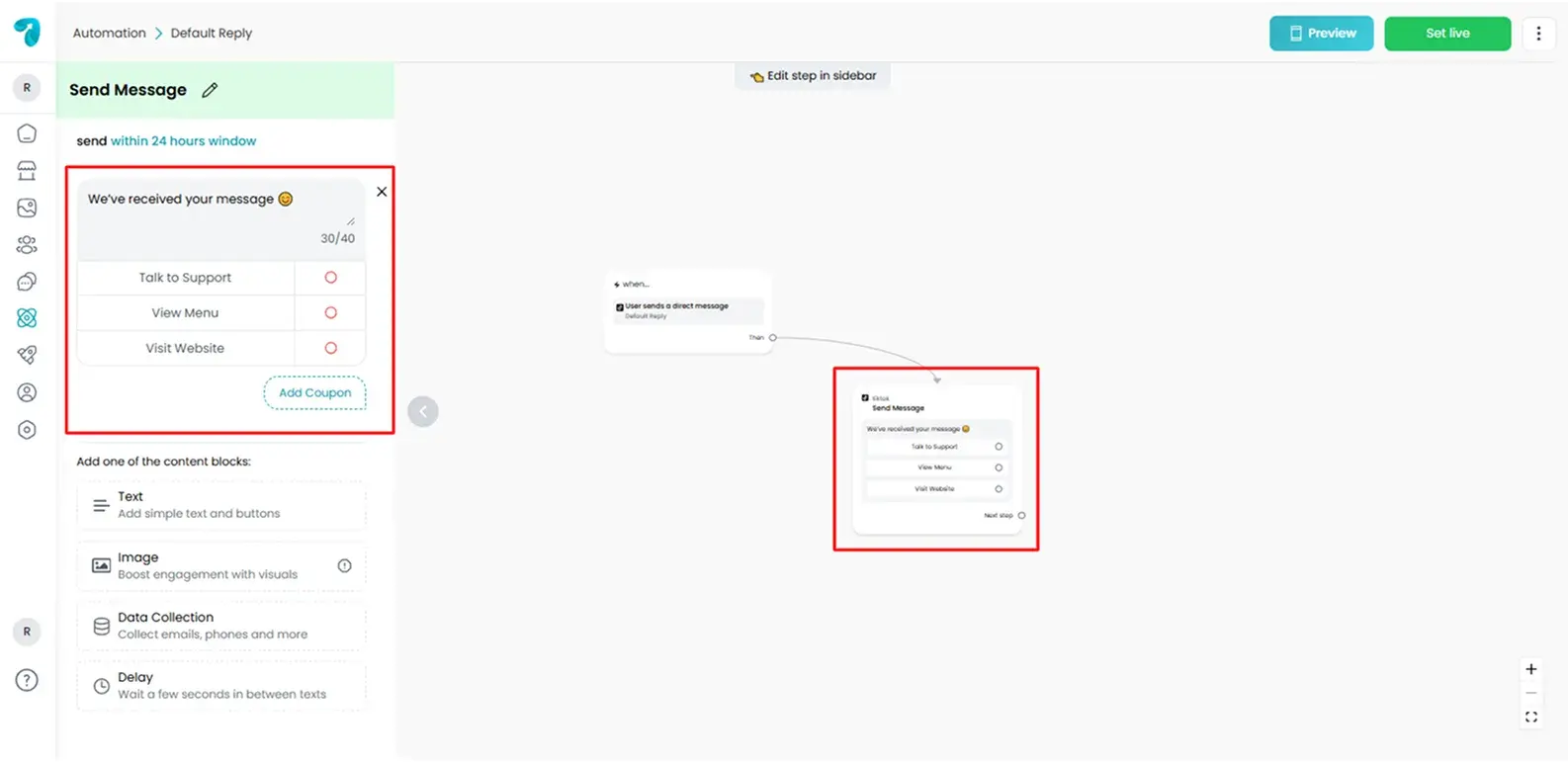
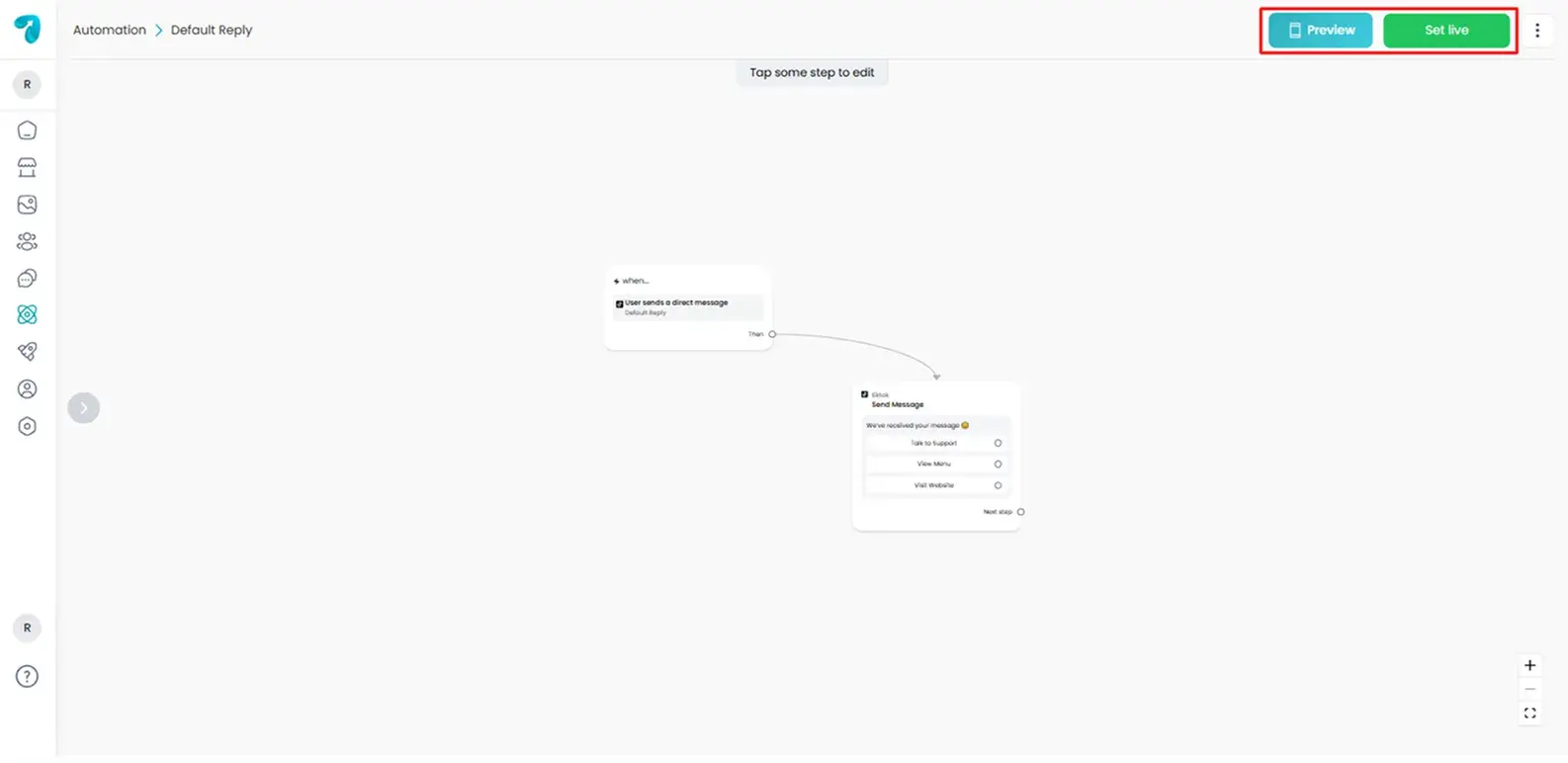
After that, we will take you to the Flow Builder screen, where you can write a simple message like:
“We’ve received your message 😊 Someone from our team will be with you soon. Until then, our FAQ page might have what you’re looking for.”
Or include quick buttons like:
- “Talk to Support”
- “View Menu”
- “Visit Website”
4. Save and Publish
Once your flow trigger is ready, make sure to save and set it live by clicking on the Set Live button. You can also preview it before setting up live. That’s it!
Troubleshooting
If your TikTok Default Reply isn’t working, please check:
Default Reply not working?
Make sure the automation is published. For automation error, please check the error logs in Reflys’ dashboard settings to see what’s going wrong.
Refresh permissions
If changes aren’t taking effect, try refreshing the Reflys TikTok integration in your TikTok Settings.
Still having issues? Reach out to the Reflys Support Team for help.
Tips to Improve Your Default Reply
- Keep it to the point: Set the automation to the point, answer the most relevant FAQs, or add a generic waiting message.
- Use buttons: Make users take the next action, such as visiting your store, having an online conversation, or reading questions and answers.
- Capture leads: You can ask users for their email and phone numbers to contact them later regarding their queries.
These minor changes can have a huge impact, making the talk more personal and useful.