If you run a growing B2B or direct-to-consumer brand, you already know the headache of manual messaging. When your daily inbound messages jump from 50 to 500, things break down fast. Your sales team can’t reply within minutes, follow-ups get forgotten, and expensive leads just ghost you. Running everything off a standard mobile phone app creates a massive bottleneck. That is exactly why you need a dedicated WhatsApp business automation tool to handle the traffic before it drowns your pipeline.
Hand-typing replies isn’t a sustainable sales strategy. Relying on human agents to manually schedule WhatsApp messages or remember to send a WhatsApp introduction message across five different time zones means mistakes are going to happen. Buyers today expect instant answers. If you make them wait two hours for a basic pricing PDF, they are already talking to your competitor. This slow response time pushes your customer acquisition costs through the roof.
You have to move off the basic app and onto a proper WhatsApp API setup. By switching to Reflys, you get a system built for heavy lifting. You can run conditional logic, manage delayed follow-ups, and push lead data straight into your CRM without anyone touching a keyboard.
Expert Insight:
Miss Sana Hussain – B2B SEO Content Strategist.
I’ve spent the last three years building chat infrastructure for high-volume B2B clients. The biggest drop-off always happens right after the first message. By pulling user data from a WhatsApp chat button on the website and feeding it into a Reflys webhook, we built a routing setup that cut response times from 40 minutes to under two seconds. That one tweak bumped lead-to-opportunity conversions by 38%.
The Advanced Quick Win: SLA Routing & Delayed Sends
Don’t start by building massive, complicated chatbots. Secure your highest-leverage win first: recovering high-intent prospects who stop replying. Instead of a generic message such as “We are away” auto-reply, set up a multi-step conditional flow inside Reflys.
Let’s say someone clicks your website chat widget and triggers a specific pricing keyword. The system fires off an intro message on WhatsApp. If that person doesn’t click the next step within exactly 15 minutes, the system executes a “send later” command for whatsapp. This delayed push sends a secondary message tailored specifically to whatever they clicked last (like a specific software tier or shipping policy). You bypass the sales team entirely and force a response within Meta’s strict 24-hour window.
The WhatsApp Bot Features 2026 Buyers Actually Want
Modern buyers hate filling out lead forms. They treat chat interfaces like a concierge desk. If your setup can’t process logic, store variables, and handle asynchronous chats, you will lose the sale.
Setting Up the Intro Message on WhatsApp
A generic auto-responder does nothing for your conversion rate. A smart WhatsApp introduction message needs to figure out what the user actually wants immediately. Using Reflys, this first message acts as a triage desk. You give the user interactive buttons, one for technical support, one for pricing, and one to book a demo.
If they hit “Book a Demo”, the smart reply setup on WhatsApp triggers a webhook to your calendar. It shows them available meeting slots right there in the chat thread. The prospect completes the booking without ever opening a new browser tab.
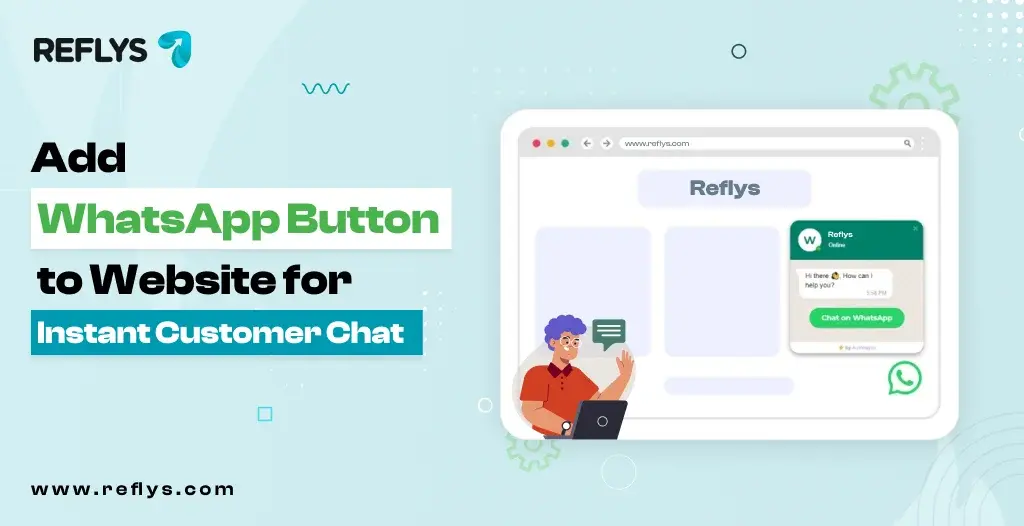
Capturing Traffic with a WhatsApp Chat Button on Website
Getting traffic to your site is expensive. Forms cause friction and make people bounce. A WhatsApp chat button on the website moves them straight from your landing page into a chat thread.
The best part? Reflys lets you pre-fill the starting text. If they click the button on your enterprise pricing page, the system knows exactly where they came from. The smart reply is instantly relevant, so you never have to ask them what they need help with.
Why the Native App Fails at Scale
| Feature | Native Business App | Reflys API Infrastructure |
|---|---|---|
| Agent Access | Capped at 1 phone + 4 linked devices | Unlimited users with specific role permissions |
| Logic & Routing | Basic exact-match keyword replies | Conditional logic (If/Then statements, tags) |
| Data Flow | Manual copy-pasting | Real-time CRM syncing via webhooks |
| Follow-ups | 100% manual | Automated schedule send on whatsapp nodes |
How to Use Your WhatsApp Business Automation Tool for Message Scheduling?
The most common question sales operators ask is: can you schedule a message on WhatsApp? If you are stuck using the native phone app, the answer is no. You literally cannot schedule a text on WhatsApp using the standard interface. Your team has to manually track who to follow up with and when.
Switching to a WhatsApp automation environment like Reflys changes the game completely. You aren’t manually picking times on a calendar. Scheduling becomes an automated process tied to exactly what the user does.
Nailing the Schedule Send on WhatsApp
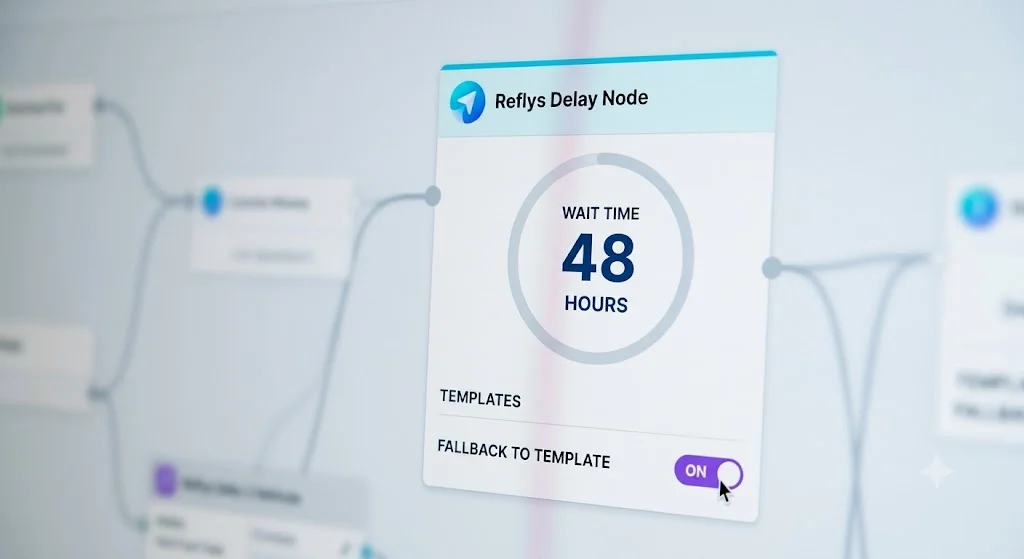
Instead of wondering how to schedule messages on WhatsApp by hand, you build workflows that do the waiting for you. Inside Reflys, a “schedule message in WhatsApp” command operates as a simple delay node.
Say a lead downloads a B2B whitepaper via chat. You drop a 48-hour delay node into the flow. When the clock runs out, the system checks if they booked a call. If they didn’t, it fires off a timed WhatsApp message with a case study related to that whitepaper.
Beating the 24-Hour Rule with Timed WhatsApp Messages
You have to play by Meta’s rules. They enforce a strict 24-hour customer service window. If someone messages you, a timer starts. You can send anything you want inside that window.
But if your WhatsApp timing message is set to go out after 24 hours, a standard text will fail. Reflys catches this. If the session is dead, it automatically swaps your free-form text for an approved Meta Message Template. Your message goes through, and your phone number’s quality rating stays safe.
The ROI of Automated Scheduling
| Metric | Human Sales Rep | Reflys Automation | Business Impact |
|---|---|---|---|
| Follow-up Rate | Drops heavily after the second attempt | 100% execution on every lead | Plugs the holes in your sales funnel |
| Speed to Lead | Dependent on shift hours and workload | Instant execution 24/7 | Captures high-intent buyers immediately |
| SLA Breaches | High risk during volume spikes | Zero risk due to hardcoded timers | Protects your brand reputation |
Advanced Logic and Handling Opt-Outs
Sending a timed WhatsApp message is just the mechanical part. The real value comes from the logic behind it. Your setup needs to act like your best sales rep.
Routing Based on Data
Every time a user clicks a button, they give you data. If they say they have “500+ employees”, you route them to your enterprise sequence. If they say “1-10 employees”, you push them to a self-serve checkout link.
The enterprise lead gets a scheduled message offering a custom architecture review. The small business lead gets a discount code. You treat different buyers differently, entirely on autopilot.
Don’t Get Banned
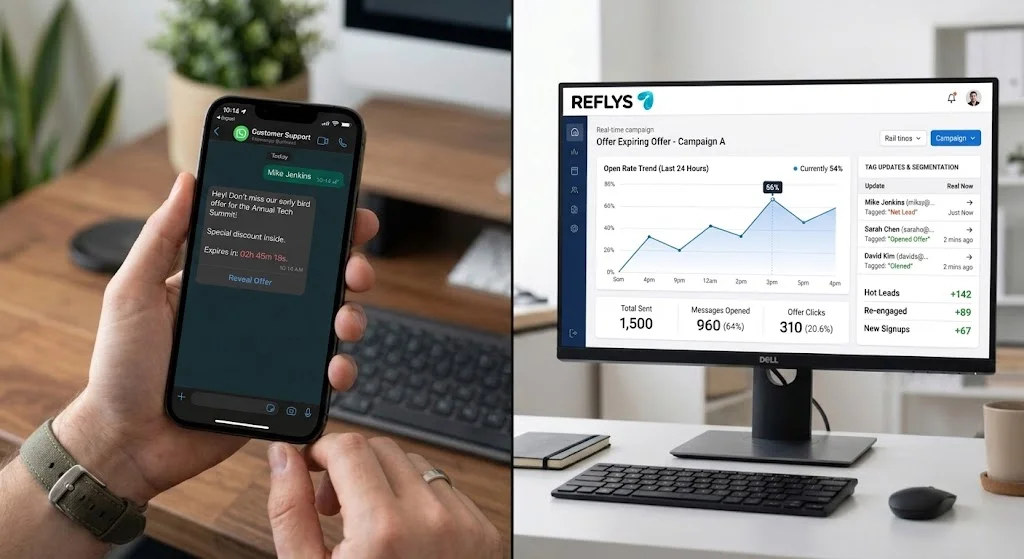
If you ignore compliance, Meta will shut down your API access. If someone types “STOP” to a schedule send on WhatsApp, your software needs to catch it instantly. Reflys updates their profile, kills any pending delay nodes, and pulls them off your broadcast lists so you don’t get reported for spam.
Troubleshooting Complex Chat Workflows
| What Broke | The Technical Reason | How to Fix it in Reflys |
|---|---|---|
| Scheduled message failed | The 24-hour window closed, and you tried to send a normal text. | Edit the delay node to use an approved Meta Template if the session is expired. |
| CRM created two leads | Your external software fired the webhook twice. | Use the unique message_id variable in Reflys to filter out duplicates. |
| Menu didn’t trigger | The user made a typo and broke the exact-match keyword. | Stop using text inputs. Force them to use list messages or interactive buttons. |
Connecting to Your Tech Stack
Your chat setup shouldn’t live in isolation. When a lead books a call through a smart reply WhatsApp flow, that data needs to move.
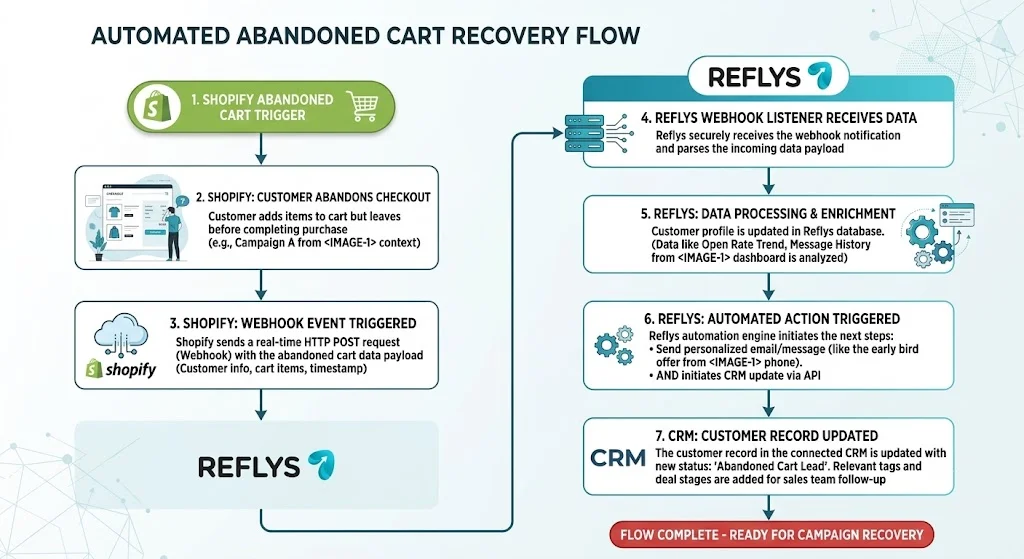
Reflys grabs that event and pushes it straight into your CRM—whether you use HubSpot, Salesforce, or Kommo. It can trigger a follow-up email sequence in Apollo and ping your account executives on Slack.
This means your chat setup is actually driving measurable revenue. Using external triggers—like someone abandoning a cart on Shopify to fire off a scheduled WhatsApp message creates a completely frictionless sales machine.
Start Your Free Trial Today
Relying on human memory to chase leads is bad for business. It is time to stop losing money to slow response times and dropped follow-ups. Hand-coding individual responses on a mobile phone doesn’t work when you are trying to scale a modern company.
By moving your messaging infrastructure over to a dedicated platform, you lock in perfect timing, smart routing, and deep CRM syncs that work around the clock without making mistakes. If you are ready to build a system that actually scales your sales funnel, sign up for a free trial of Reflys today and deploy the ultimate WhatsApp business automation tool to dominate your market.