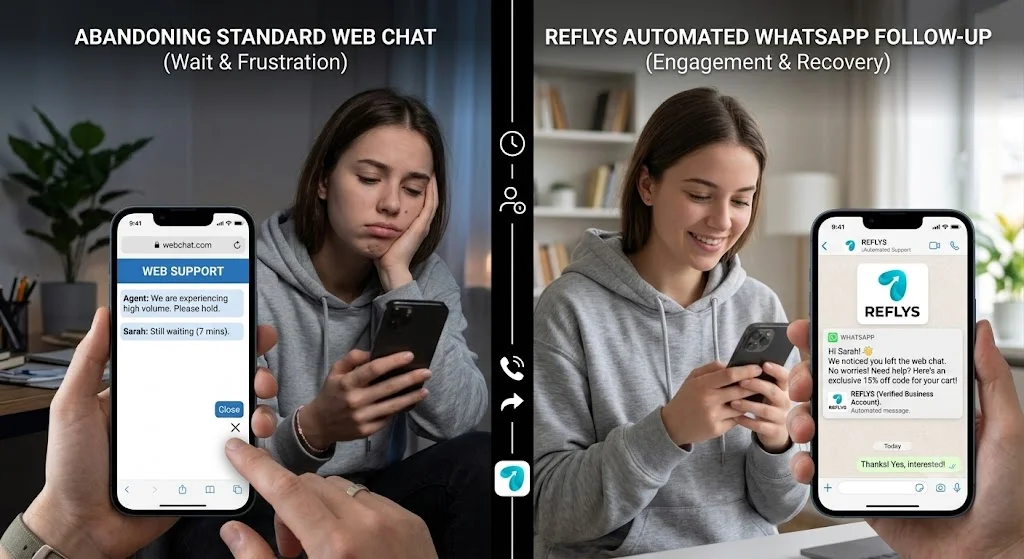
You spend thousands on paid acquisition to get a high-intent buyer onto your pricing page. They have a single question before converting, so they click your standard live chat widget. Five minutes pass while they wait for an agent. Their phone rings, they lock their screen, and the browser session dies. You just paid a premium for a bounced lead. Fixing this massive leak in your funnel requires a permanent line of communication, which is exactly why installing a WhatsApp chat button on a website is mandatory for modern conversion rate optimization.
Forcing prospects to stay anchored to an open browser tab is a broken strategy. Traditional web widgets demand synchronous attention from users who are inherently distracted. If a visitor navigates away to check an email or loses their cell connection, the entire context disappears. Your sales rep eventually replies to an empty digital room, and the buyer assumes your team simply ignored them.
The solution is moving the conversation off your URL and into an application the buyer already checks dozens of times a day. By routing inbound queries through Reflys directly to a user’s personal inbox, using a whatsapp automation tool you instantly capture their verified phone number. The thread stays alive indefinitely, allowing you to deploy automated qualification sequences without requiring the prospect to stare at a loading screen.
Expert Insight:
In my experience overseeing mid-market deployments at Reflys, building conversational pipelines for mid-market among brands taught me one rule: friction loses deals. Based on Reflys user data when we replace session-based web chat with persistent messaging threads, we consistently see lead capture rates jump by 35-40%. The prospect controls the pacing, and the sales team gets a verified contact number on the very first interaction.
-Mahad Asghar
Advanced Quick Win: URL-Parameter Pre-filling & Conditional Routing
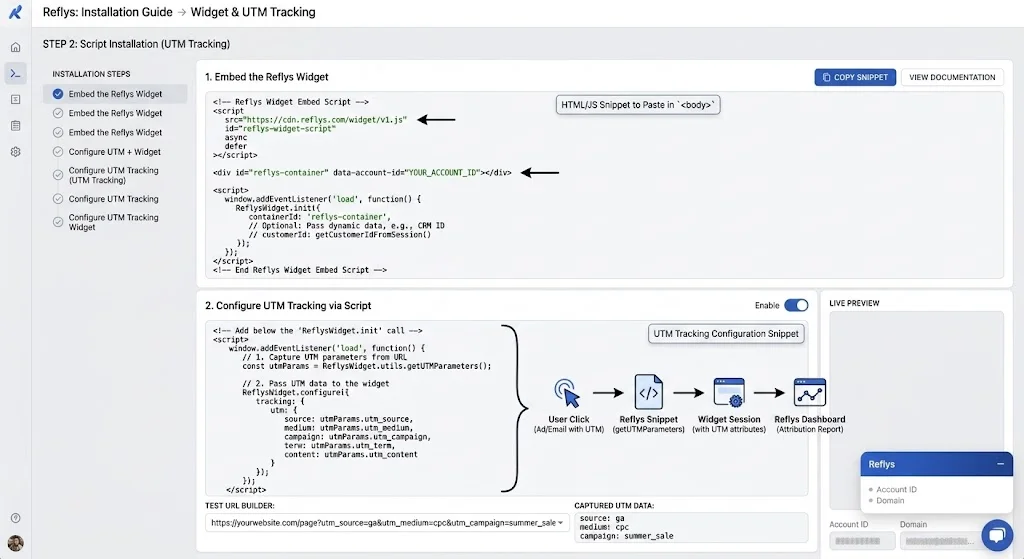
Do not just drop a static link on your homepage and expect your sales to spike. To drive serious revenue, configure the Reflys script to parse the exact URL the user is currently browsing.
If a visitor clicks the button while viewing your /enterprise-pricing page, the Reflys widget automatically pre-fills their app draft with: “Hi, I am reviewing the Enterprise plan and need a custom quote.” When the user hits send, the Reflys backend reads this exact text string, tags the contact as “High-Intent B2B,” and routes the conversation directly to a senior Account Executive instead of the general support queue.
Architecting Your WhatsApp Chat Button on Website with Reflys
A basic redirect link is a missed opportunity. To build a scalable inbound machine, you need a WhatsApp business chat button backed by actual logic. Reflys provides the exact backend infrastructure necessary to handle high-volume inbound traffic without overwhelming your staff.
Intelligent Chat Routing and SLA Enforcement
When a user clicks your website visitor WhatsApp chat, that message cannot sit in a shared, unmonitored inbox. Reflys relies on advanced conversational routing to organize the chaos. A pre-filled text or a first automated qualifying question determines the department where the chat is directed, such as sales, billing, or technical support. When the agent does not receive the ticket within the specified SLAs (5 minutes), the ticket is automatically passed to a manager.
Multi-Agent Inbox Collaboration
Your WhatsApp customer support widget completely breaks down if your team is passing around a single physical smartphone to reply to leads. Reflys turns the API connection into a multi-agent workspace. Sales reps can claim specific inbound leads, tag colleagues for help, and leave internal notes on customer profiles all without the end-user seeing the backend coordination.
Automated CRM Synchronization
Manual data entry drains your sales velocity. When a prospect initiates a chat via your WhatsApp messaging widget, Reflys instantly creates or updates a record in your connected CRM. The system logs the initial web page they converted from, their phone number, and the full transcript of the automated qualification flow before a human even says hello.
The Mathematical Advantage of Persistent Messaging
Why should you replace your standard web chat with a WhatsApp contact button? It comes down to retention data and open rates. Traditional web chat relies entirely on the user’s immediate attention. Asynchronous messaging provides flexibility backed by a 98% open rate.
Synchronous Web Chat vs. Reflys Asynchronous WhatsApp Widget
| Conversion Metric | Traditional Website Live Chat | Reflys WhatsApp Widget |
|---|---|---|
| Lead Capture | Requires manual email form fill before chatting. | Captures verified phone number instantly upon first message. |
| Session Persistence | Dies when the user closes the browser tab. | Permanent thread stored in the user’s mobile application. |
| Outbound Retargeting | Impossible without capturing an email first. | Direct access for broadcast messages and promotional follow-ups. |
| Average Open Rate | N/A (Session based) | ~98% for automated follow-up sequences. |
Designing the User Experience: Floating vs. Inline Buttons
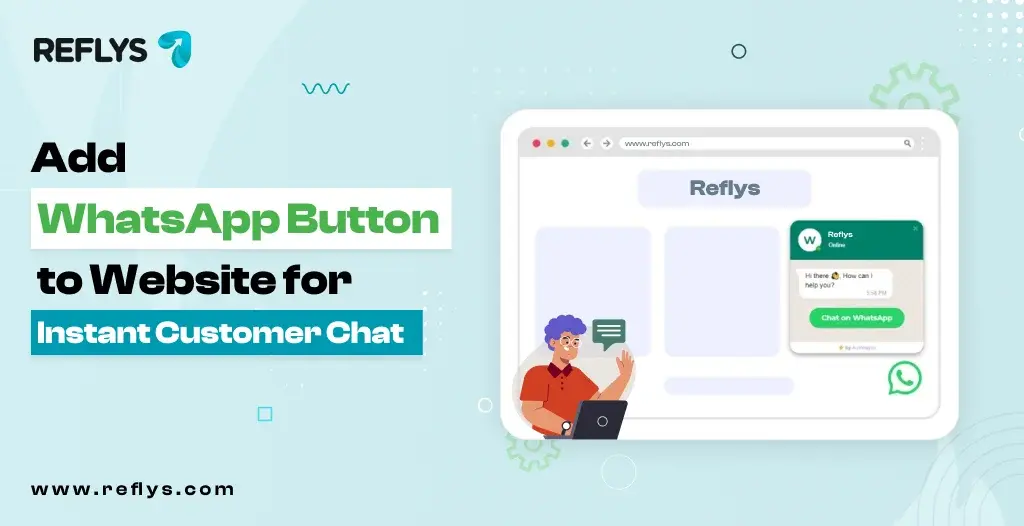
Where you place the widget dictates your conversion volume. A floating WhatsApp button fixed to the bottom right corner of the screen keeps the call-to-action in view while users scroll through long-form blog posts or complex product catalogs.
But inline buttons are equally important to capture intent. A targeted WhatsApp live chat for website button positioned directly underneath high-friction areas such as pricing tables, feature matrices, or “Out of Stock” product listings, captures users at their precise moment of hesitation.
Strategic Placement and Routing Logic Matrix
| Web Page Location | Button Type | Pre-filled User Message | Reflys Backend Action |
|---|---|---|---|
| Homepage | Global Floating | “Hi, I have a general inquiry.” | Route to Level 1 Support Bot for basic purpose. |
| Pricing Page | In line under Enterprise | “Need details on Enterprise API limits.” | Route to Senior Sales Exec + Tag “High Value.” |
| Checkout/Cart | Inline near Payment | “I am having trouble checking out.” | Route to Support + Trigger Cart Abandonment SLA. |
| Blog/Content | Global Floating | “I have a question about this article.” | Auto-reply with lead magnet opt-in flow. |
Troubleshooting Your Installation Pipeline
The implementation of an API-driven widget is a matter of fine details. If the setup is not configured properly, it will leak leads, irritate your users and hurt your brand trust.
Advanced Troubleshooting Matrix
| Technical Issue | Root Cause Analysis | Reflys Resolution Protocol |
|---|---|---|
| Desktop clicks fail to open app | Users lack the native desktop application and browser blocks pop-ups. | Reflys defaults to web.whatsapp.com fallback with clean redirect parameters. |
| Widget blocks mobile UI elements | Floating button z-index or absolute positioning overlaps mobile navigation. | Focus on the Reflys dashboard. Set a widget display by going to settings to stay in mobile safe zones. |
| Pre-filled messages not showing | URL encoding errors in the parameter string | Using the built-in URL generator in Reflys, ensure that %20 encoding formats are correct. |
The Financial Reality of Persistent Connections
Relying on outdated, synchronous web chat burns your acquisition budget. Customers want immediate and asynchronous communication on the platforms they already use to communicate with their friends and family. Instead of having high-friction, contact forms and weak browser sessions, you place a dedicated WhatsApp chat button on the website, thus establishing a permanent line of communication with your prospects.
Stop letting qualified traffic bounce into the void because you made them wait on a webpage. Implement the exact infrastructure designed to capture, route, and close inbound leads on autopilot. Start your free trial with Reflys today and start turning passive website traffic into active, revenue-generating conversations.